The best free PyMOL alternatives in 2026
What to open your structures with when PyMOL wants a licence

Matic Broz, PhD21 min
You need a picture of HIV-1 protease and its inhibitor for Thursday's lab meeting, so you download PyMOL, and the installer asks for a licence file. Schrödinger's builds now need a licence generated with its License Manager, and the download buttons on pymol.org come with a prompt to buy one.[4][1] Students and teachers get an educational build for free, but not for research. Everyone else pays $99 a year in academia or $1,050 in a company.[2][3]
The source code is still open, under a permissive licence, but Schrödinger links only to the repository, so the free PyMOL is one you compile yourself.[5][1] Is PyMOL free? goes through every route. For most people it is easier to switch, because the daily work is a short list: open a structure, style the ligand site, measure a few distances, superpose two models and save a figure. Seven free viewers do that list well, and each one fails it somewhere different.
We make one of them. The PDB viewer by ProteinIQ is our browser viewer, and it runs PyMOL commands. We held it to the same tests as the others and gave its gaps their own paragraph, so you can weigh them against the screenshots.

The best free PyMOL alternatives
- PDB viewer by ProteinIQ for PyMOL commands in a browser with nothing to install
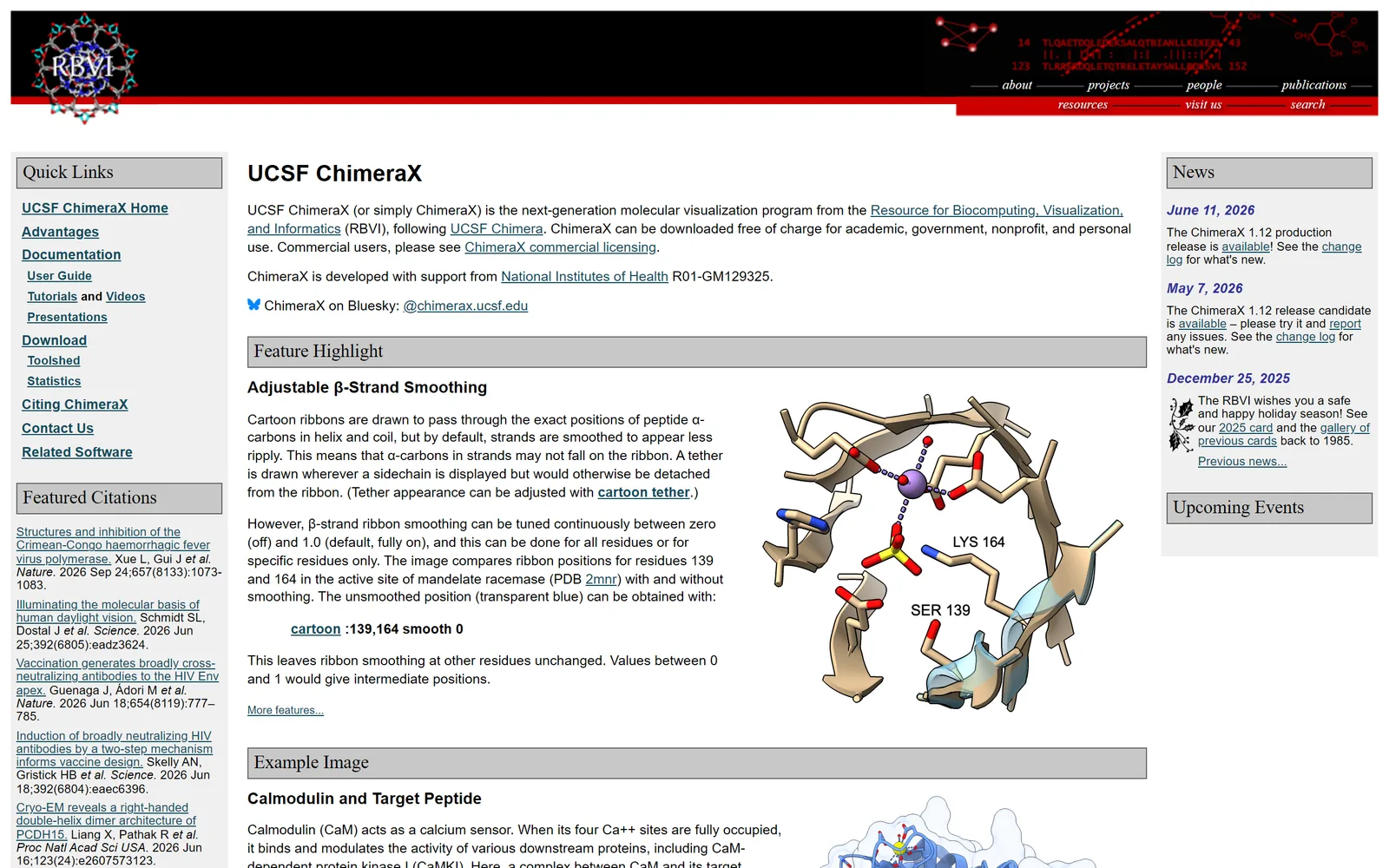
- UCSF ChimeraX for the closest free desktop replacement
- Mol* for a fast browser viewer with no account
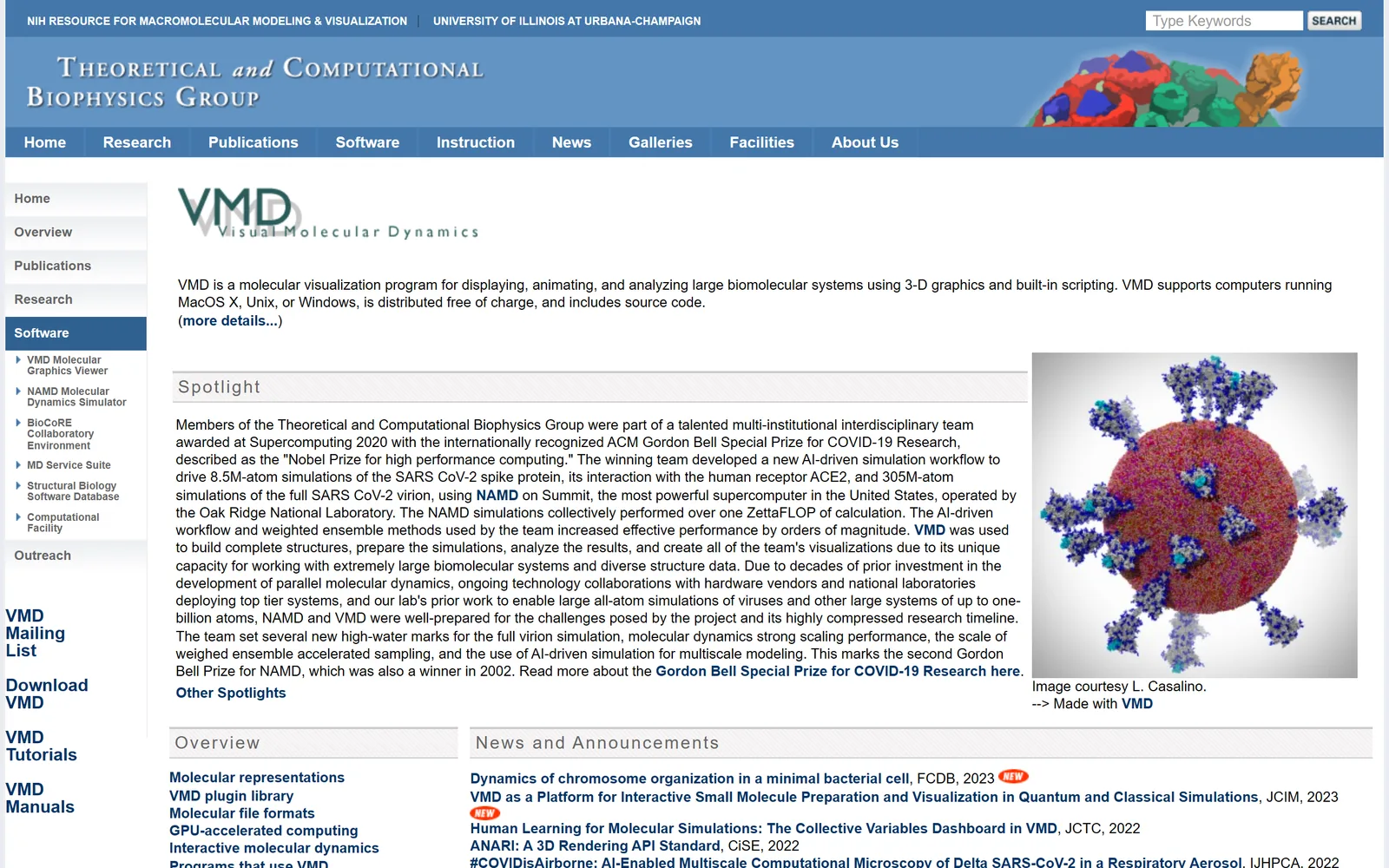
- VMD for molecular dynamics trajectories
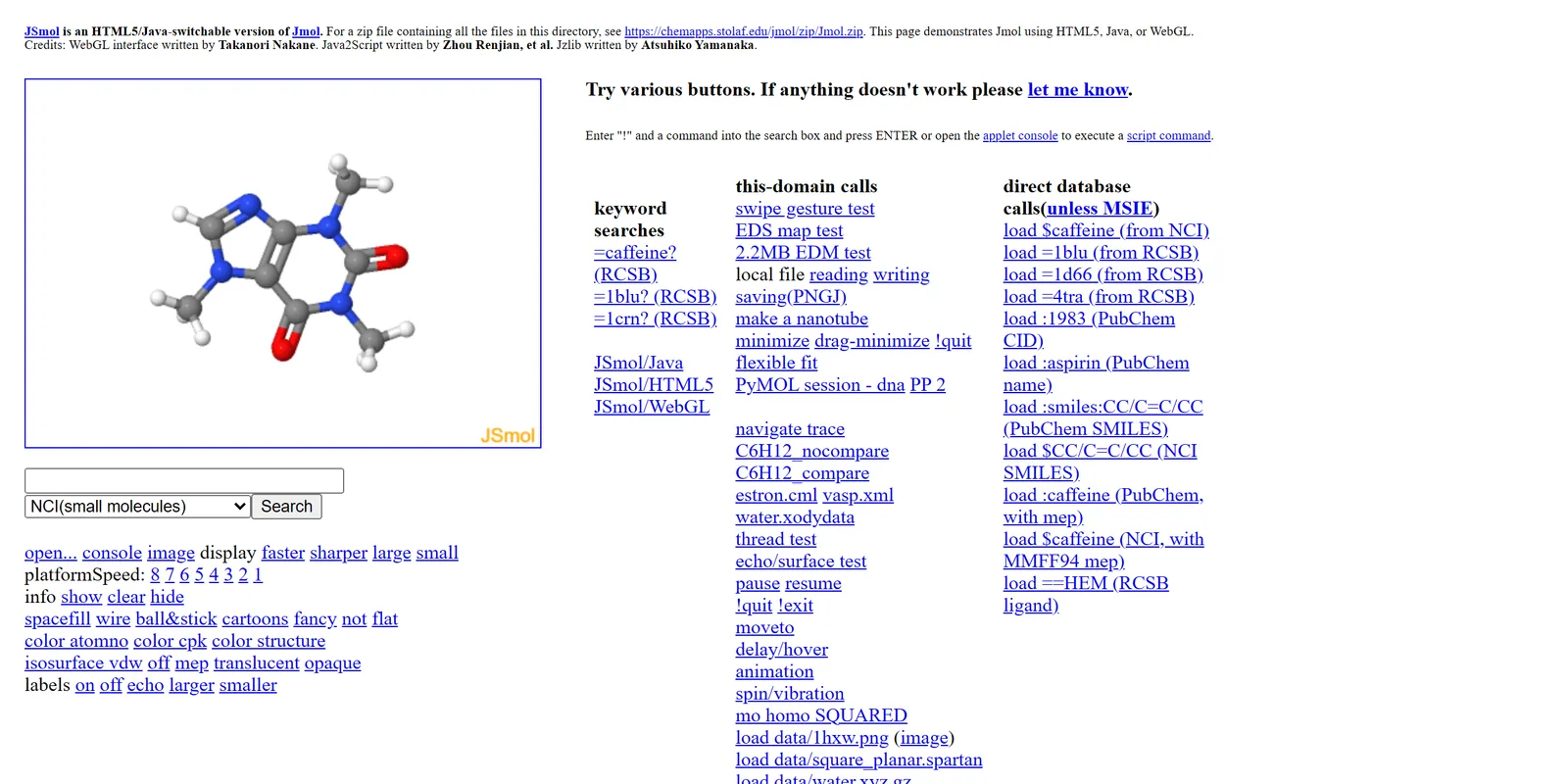
- Jmol and JSmol for putting a structure on a web page
- YASARA View for ray-traced pictures from a free desktop viewer
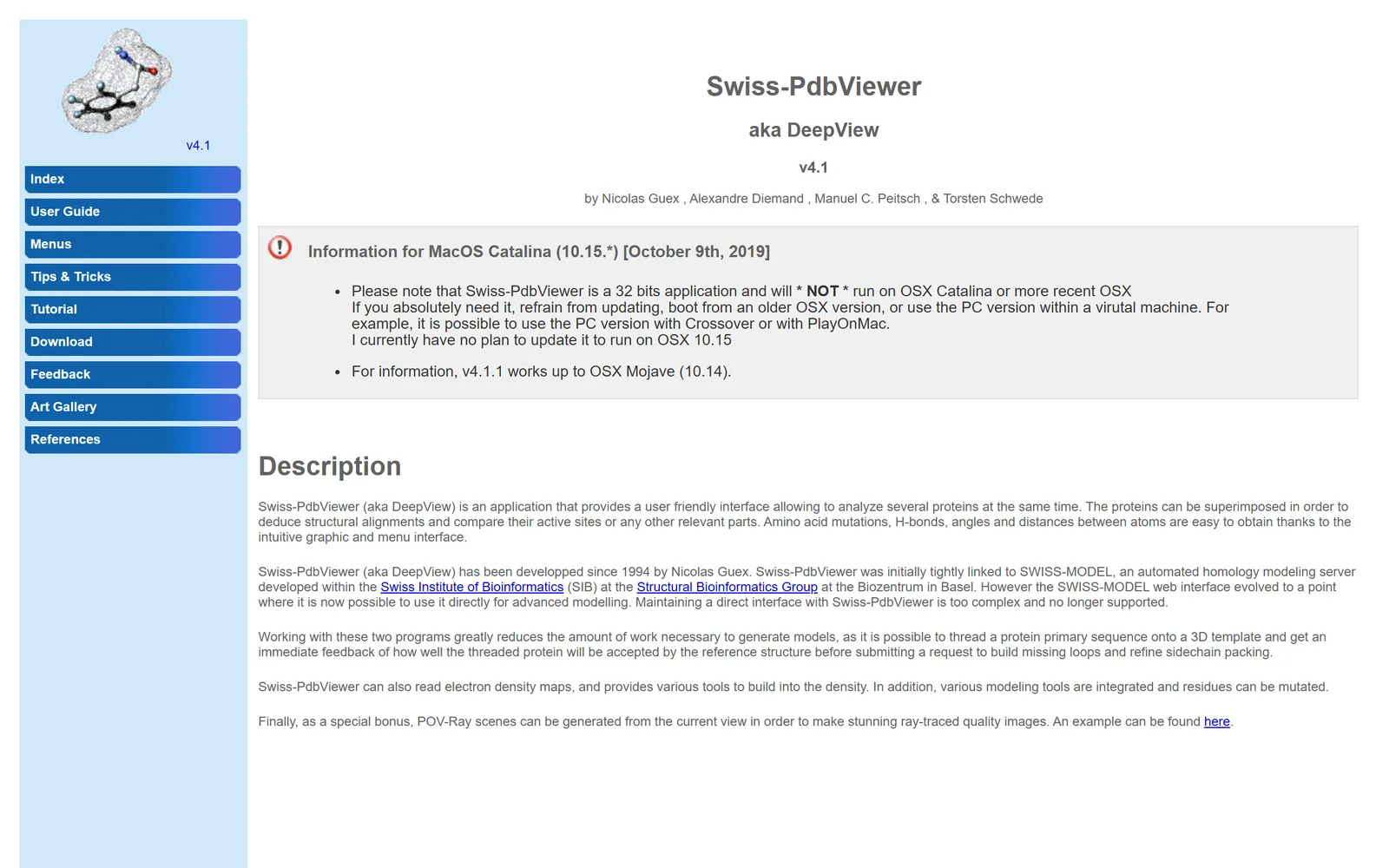
- Swiss-PdbViewer for mutations and density maps on an older machine, with no price listed
What makes a good PyMOL alternative?
A replacement does not need PyMOL's whole feature list, only the part people use every week. We judged each viewer on loading a structure from the PDB or a file, selecting and styling a binding site, measuring contacts, superposing two structures, rendering a figure, and scripting all of that so the same figure can be rebuilt after a reviewer asks for a change. Density maps, molecular dynamics trajectories and session files settled the close calls.
Prices, licence terms, versions and features come from each project's own site or documentation, checked on November 10, 2026; where a page was silent, we say so. Every pick had to be downloadable or usable that day without a trial. We left out JavaScript libraries such as NGL and 3Dmol.js, which are for building a viewer into a web page, and molecule editors such as Avogadro; both are compared in protein visualization software.
The best PyMOL alternatives at a glance
| App | Best for | Runs on | Price and licence | Biggest gap |
|---|---|---|---|---|
| PyMOL | The reference most tutorials and papers assume | Windows 11, macOS 13 or later, Linux | Licensed. Free for students and teachers; $99 a year academic, $1,050 a year commercial (single user) | Needs a licence file |
| PDB viewer by ProteinIQ | PyMOL commands with nothing to install | Web browser | Free, no account to view | No plugins or NumPy; does not write .pse files |
| ChimeraX | The closest free desktop replacement | Windows, macOS, Linux | Free for academic, government, nonprofit and personal use; commercial licence $2,000 for three years (single user) | Free use does not cover commercial work |
| Mol* | A quick look in the browser | Web browser | Free, MIT licence | No command line in its documentation |
| VMD | Molecular dynamics trajectories | Windows, macOS, Unix | Free for academic, research and internal business use; commercial products need a licence | Version 2.0 is out only for Linux; the user guide still describes 1.9.3 |
| Jmol and JSmol | A structure on your own web page | Windows, macOS, Linux; JSmol in any browser | Free, LGPL | Its own script language, not PyMOL's |
| YASARA View | Ray-traced pictures from a free viewer | Windows, Linux, macOS, Android | View is free; maps and trajectories are in paid stages (free Model for academics) | Density maps and trajectories are not in View |
| Swiss-PdbViewer | Mutations and density maps on an older machine | Windows; macOS up to Mojave | No price listed; used under a licence agreement that bars modification | No update planned for current macOS |
| App | Command line and scripting | Figures | Density maps | MD trajectories |
|---|---|---|---|---|
| PyMOL | Command line and Python | Ray-traced images; keyframe movies | Yes (isomesh, volume, fetch with type=2fofc) | load_traj, through the molfile plugins |
| PDB viewer by ProteinIQ | PyMOL commands; .pml and Python per its documentation | PNG at 1×, 2×, 4× or a custom size, with a transparent background | Has a density map tool (not tested here) | Has a trajectory player (not tested here) |
| ChimeraX | Command line and Python | Lighting presets with ambient shadowing; movie | Volume Viewer, fitmap, molmap | DCD, XTC, TRR, NetCDF over a topology |
| Mol* | None found in its viewer documentation | Images up to 3840 × 2160; MP4 animation | Density panel | Plays MD trajectories |
| VMD | Tcl and Python | Exports to ray tracers such as POV-Ray and Tachyon | CCP4, MRC, DX and cube readers | XTC, TRR, DCD, TNG, LAMMPS readers; HBonds plugin |
| Jmol and JSmol | Jmol script language | Exports to POV-Ray, STL, VRML and others | Isosurfaces from map files in the JSmol demo; cube and Molden orbital files | No trajectory format named |
| YASARA View | Yanaconda macros and Python plugins | Ray tracing at any resolution | Paid Model stage (free for academics) | Paid Dynamics stage |
| Swiss-PdbViewer | Built-in script language | POV-Ray scenes from the current view | Reads electron density maps | Not documented |
PyMOL, the viewer you are replacing
PyMOL (Windows, macOS, Linux)
PyMOL pros:
- The command line and Python scripting that most tutorials and methods sections assume
- Ray-traced figures, keyframe movies, density maps and trajectories in one program
PyMOL cons:
- A licence file is required, and the licensed installers are not free for research or commercial work
What you give up by leaving is mostly habit, and a large body of scripts written by other people. The command reference covers isomesh and volume for density maps, fetch with type=2fofc or type=fofc for the deposited maps of a crystal structure, load_traj for trajectories and ray for ray-traced images.[6] Polar contacts come from distance with mode=2, and π-π and cation-π contacts from modes 5 to 7.[6] There is no 2D ligand interaction diagram in the command reference.
The current release is 3.1.9, updated on October 7, 2026, for 64-bit Windows 11, macOS 13 or later on Apple Silicon, and 64-bit Linux.[1][4] Windows 10 is no longer on the support page, which matters on older lab PCs.[4]
PyMOL price: Free educational builds for students and teachers (not for research); $99 a year for an academic single user, $315 for government and $1,050 for a commercial single user, with larger tiers priced by employee count.[2][3]
Best free PyMOL alternative for PyMOL commands in a browser
PDB viewer by ProteinIQ (Web)
PDB viewer pros:
- A PyMOL command line in the browser, with ligand interactions, a 2D diagram, pocket search and validation built in
- Free with no install or account, and files you open stay in your browser
PDB viewer cons:
- No plugins or NumPy, and it saves
.molxsessions rather than.psefiles
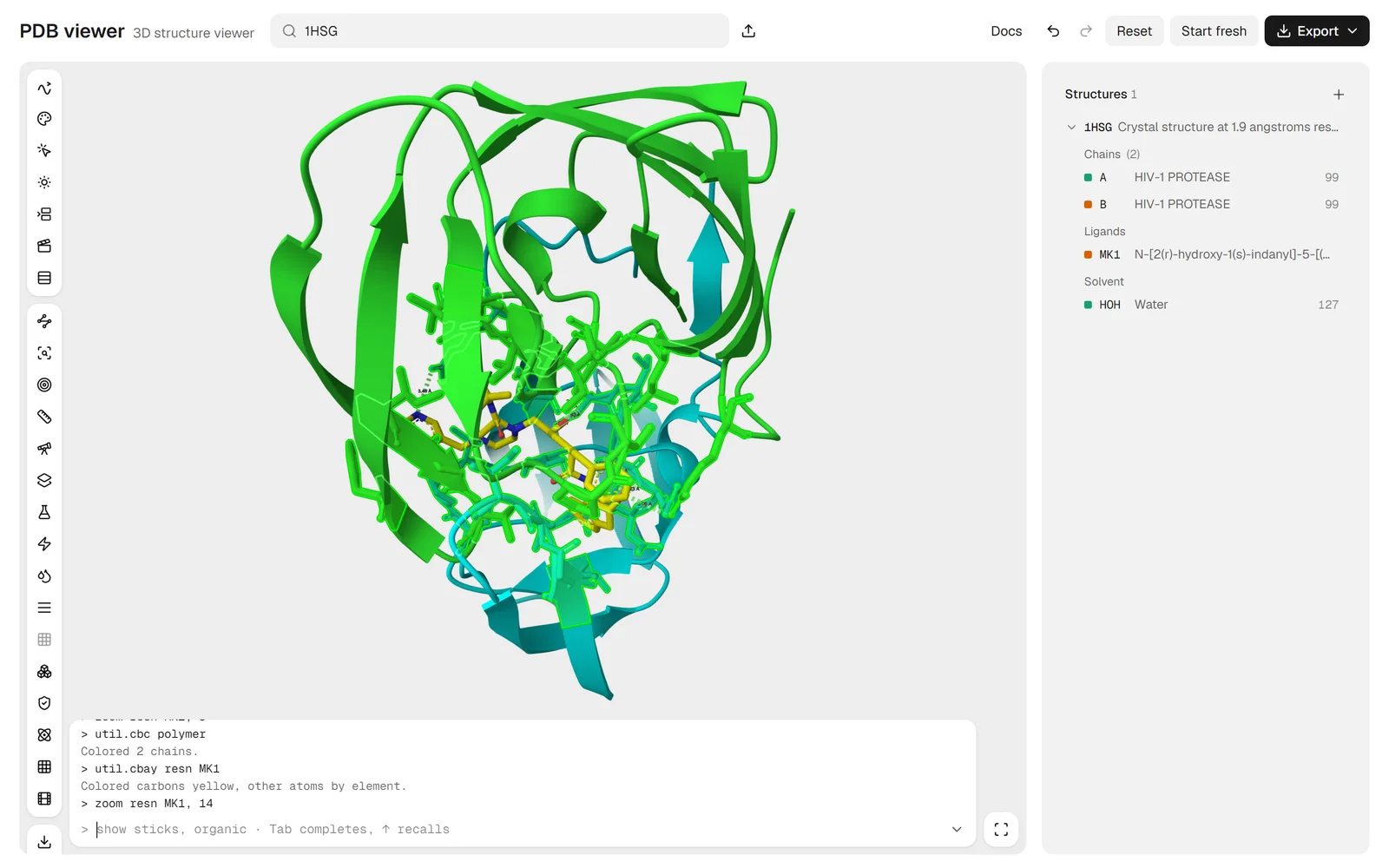
Type 1HSG into the search box and HIV-1 protease opens with its inhibitor, indinavir, listed in the side panel as MK1. The viewer draws with Mol*, the open-source engine behind the RCSB PDB and AlphaFold DB websites, and puts a PyMOL-style command line underneath. Nothing installs, and files you open from your own disk are read in the browser rather than uploaded.
The commands are the reason it is on this list. select, show, color, distance and zoom all ran when we tried them, and selections use PyMOL's syntax, so a line copied from a tutorial or from your own notes usually works as written. The viewer's documentation says .pml scripts and short PyMOL Python scripts run too, and that a .pse session opens with each object's representations, colours and labels but without its maps, measurements, selections or saved view. We did not try those.
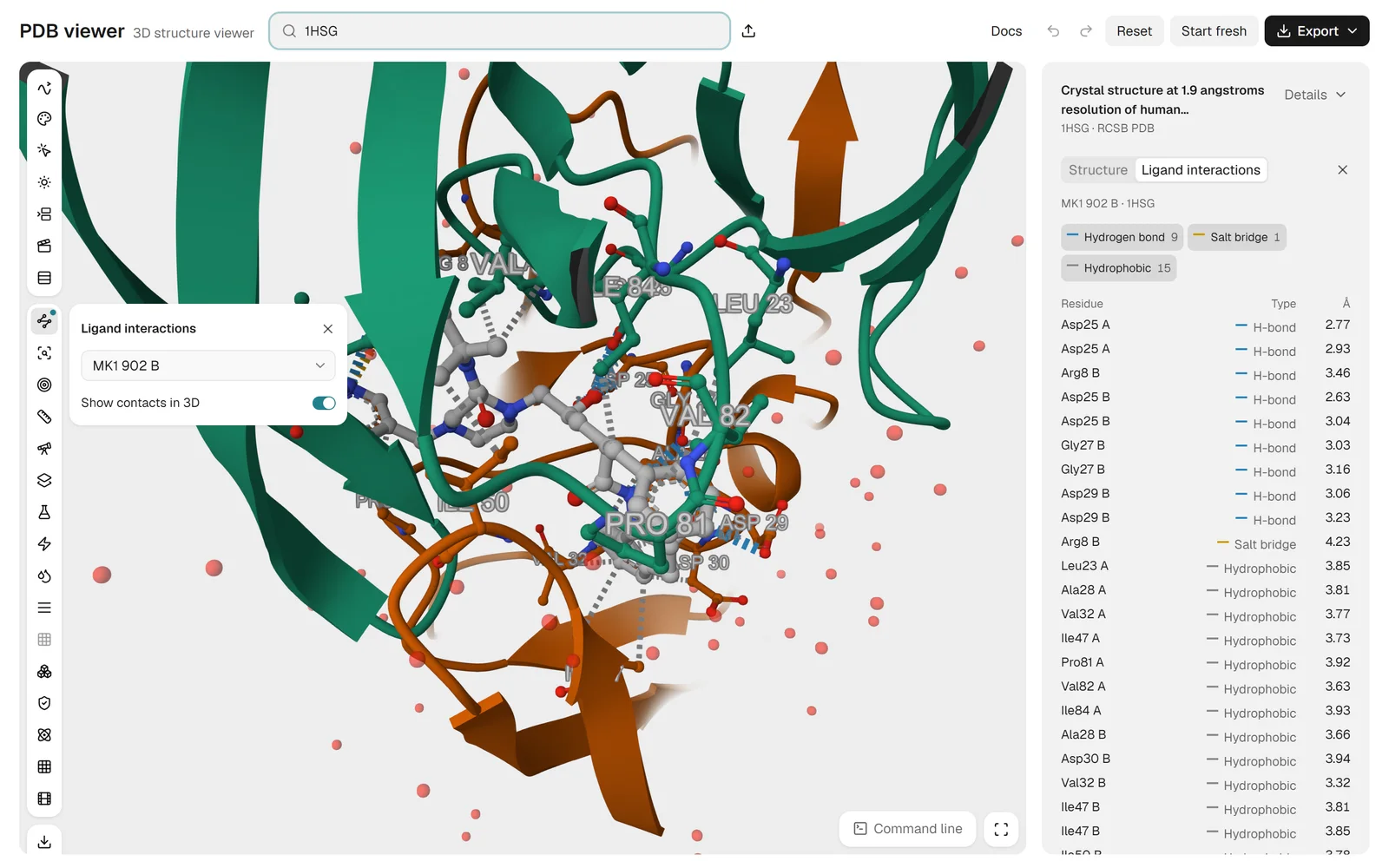
We checked the inhibitor's contacts in 1HSG two ways. In the command line, select site, byres (polymer within 4 of resn MK1) picked 258 atoms around the 45-atom ligand, and distance hb, resn MK1, site, mode=2 drew 9 polar contacts within 3.6 Å. The Ligand interactions tool, run separately, listed 9 hydrogen bonds, 1 salt bridge and 15 hydrophobic contacts, with Asp25 of both chains among the hydrogen-bond partners.
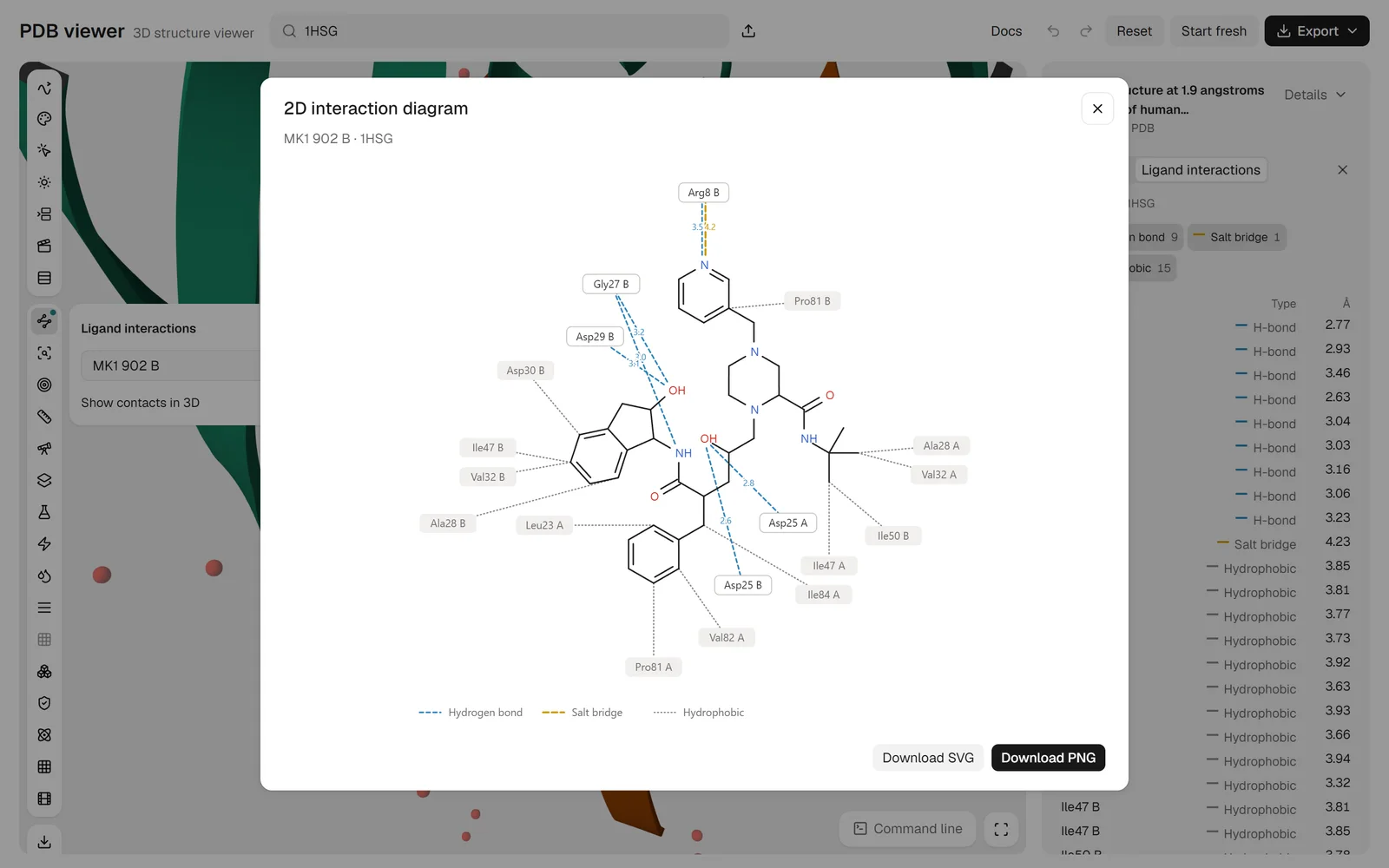
2D diagram turns those contacts into a flat drawing with each residue placed around the ligand, ready to download as SVG or PNG. In 1HSG it puts Arg8 of chain B above the pyridine ring with a hydrogen bond at 3.5 Å and a salt bridge at 4.2 Å, and Asp25 of chains A and B on the central hydroxyl at 2.8 and 2.6 Å. Water-mediated contacts are not listed. How its counts compare with PLIP and PoseView on this same complex is in Discovery Studio Visualizer alternatives.
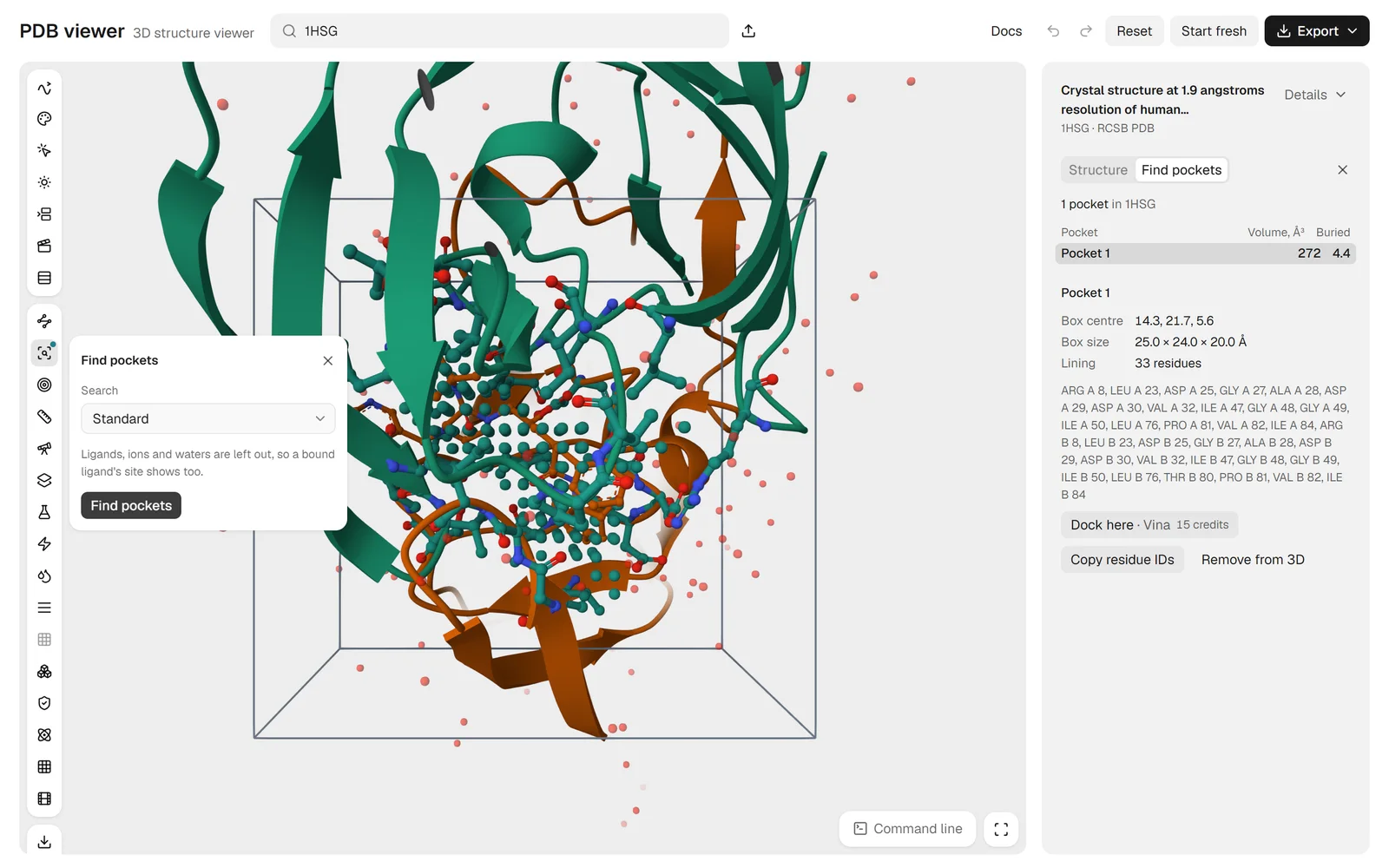
Two pocket tools are built in as well. Binding pocket on MK1 listed 33 residues within 5 Å, from Arg8 to Ile84 of both chains, with Asp25 of chain A closest at 2.77 Å. Find pockets works without knowing where a ligand is: on the whole protein it found one pocket, 272 ų, in a 25.0 × 24.0 × 20.0 Å box lined by 33 residues. Its Dock here · Vina button opens AutoDock Vina, priced at 15 credits, and nothing runs until you submit.
The same session also ran checks that would take a plugin or a second program in PyMOL. Validation put 96.9% of residues in favoured Ramachandran regions (188 of 194) with no outliers, found 12 rotamer outliers (7.2%), a clashscore of 0.0 and one Cβ deviation. Surface area gave 9,520.8 Ų of solvent-accessible surface, 105.9 Ų of it on the ligand. Export saves images at 1×, 2×, 4× or a custom size on a transparent, white or black background, plus movies, models, sessions and share links.
Now the gaps. There are no plugins and no NumPy, and wizard and pseudoatom answer not supported yet. Sessions save as .molx, not .pse; Download for PyMOL hands PyMOL the structures and the view as mmCIF plus a script, but not the styles. There is no map segmentation, Jupyter widget or live shared session. We did not test the trajectory player, alignment colouring, movie export or density maps here, so for those the viewer's documentation is the only source.
PDB viewer price: Free, with no account needed to view. Tools that run as jobs, such as Vina docking, use credits, and a free account gets 200 credits a month.
Best free PyMOL alternative on the desktop
UCSF ChimeraX (Windows, macOS, Linux)
ChimeraX pros:
- A command line and Python, with maps, trajectories and sessions built in
- Free for academic, government, nonprofit and personal use
ChimeraX cons:
- Commercial use needs a paid licence, from $2,000 for three years
If you want a desktop program and your work is academic, this is the one most PyMOL users end up with. ChimeraX is the successor to UCSF Chimera, and version 1.12 reached production on June 11, 2026.[7] Like PyMOL it has a command line and Python, through runscript, and a movie command for recording frames.
It also reads more without help. The open command takes PDB, mmCIF, Mol2, PDBQT and SDF structures, CCP4, MRC and many other map formats, and DCD, XTC, TRR and NetCDF trajectories over a topology.[9] hbonds, contacts and clashes cover interactions, and the full lighting preset, with ambient shadowing from 64 directions, gives soft-shadowed figures without a separate ray-tracing step.[10] Sessions save as .cxs. The documentation we read lists no 2D interaction diagram and no .pse support.
The licence is where it differs from PyMOL. The home page says free for academic, government, nonprofit and personal use, while the licence text covers academic, non-profit or government-sponsored research and needs a separate written agreement for anything commercial.[7][8] A commercial single-user licence costs $2,000 for three years, rising to $2,500 on January 1, 2027, less than three years of a commercial PyMOL subscription.[29] PyMOL vs ChimeraX compares the two command by command.
ChimeraX price: Free for academic, government, nonprofit and personal use; commercial licences from $2,000 for three years per single-user site.
Best free PyMOL alternative for quick browser viewing
Mol* (Web)
Mol* pros:
- Open source under the MIT licence, and the viewer behind the RCSB PDB website
- Built for very large structures, with trajectories and density maps in a browser
Mol* cons:
- No PyMOL-style command line in its viewer documentation
Every structure page on the RCSB PDB already opens in Mol*, which makes it the viewer many people use without knowing its name.[15][16] It was built for very large systems, and the viewer documentation lists panels for density, measurements and structure tools; the RCSB adds that focusing a residue shows its local non-covalent interactions.[17][19]
Images export at up to 3840 × 2160, with a transparent background if you want it, and animations export to MP4.[18] The home page says it plays molecular dynamics trajectories. What it lacks for a PyMOL user is a command line: we found none in its documentation, and no 2D interaction diagram, so a scripted figure has no direct equivalent. The PDB viewer above is built on Mol*, which is why most of this list also applies there.
Mol* price: Free and open source under the MIT licence.
Best free PyMOL alternative for molecular dynamics
VMD (Windows, macOS, Linux)
VMD pros:
- Built-in readers for XTC, TRR, DCD and other trajectory formats, and for CCP4, MRC and DX density maps
- Tcl and Python scripting, and an HBonds plugin that counts hydrogen bonds across a trajectory
VMD cons:
- Free only for academic, research and internal business use, and the documentation lags the releases
PyMOL can load a trajectory; VMD was written for them. The University of Illinois group built it to display, animate and analyse large biomolecular systems, and its molfile plugins read XTC, TRR, DCD, TNG and LAMMPS trajectories alongside CCP4, MRC, DX and cube maps.[11][13] You drive it from Tcl or Python, and the HBonds plugin counts the hydrogen bonds formed in every frame of a run, which is the kind of analysis PyMOL leaves to external scripts.[14][28]
The versions are a little tangled. The home page offers 1.9.4 for macOS, Unix and Windows, while 2.0.0, released on March 25, 2026, is available only for Linux.[11][30] The user guide it links still describes 1.9.3 from November 2016, and for figures it exports scenes to ray tracers such as POV-Ray and Tachyon.[14] Academic, research and internal business use is free, and a commercial product built on VMD needs a licence from Illinois.[12]
VMD price: Free for academic, research and internal business use; commercial use needs a licence.
Best free PyMOL alternative for web pages
Jmol and JSmol (Windows, macOS, Linux, web)
Jmol pros:
- JSmol runs in the browser's HTML5 and JavaScript engines with no Java
- Free under the LGPL, with a scripting language and many export formats
Jmol cons:
- Its script language is not PyMOL's, and no trajectory format is named on its home page
Jmol is still released often; 16.5.7 appeared on October 27, 2026.[20][21] The desktop application runs on Windows, macOS and Linux, but JSmol is the part most readers want, because it puts a rotatable structure on a course page or a lab website without a plugin.
It reads PDB, mmCIF, MOL2, SDF, GRO and Gaussian cube files, measures distances, angles and torsions, and exports to POV-Ray, STL, VRML and image formats.[20] The project's JSmol demo page includes tests that draw an isosurface from the 2Fo-Fc map of 1CBS and load a PyMOL session.[27] Scripts use Jmol's own language, which also accepts RasMol and Chime commands, so PyMOL habits do not carry over.
Jmol price: Free and open source under the LGPL.
Best free PyMOL alternative for ray-traced pictures on the desktop
YASARA View (Windows, Linux, macOS, Android)
YASARA View pros:
- Ray tracing for publication-quality figures at any resolution, in the free stage
- Visualises contacts, hydrogen bonds and hydrophobic, π-π and cation-π interactions
YASARA View cons:
- Density maps and trajectories sit in paid stages
If you used PyMOL mainly for its ray-traced figures, YASARA View is the most direct free replacement. It is the first of four stages of the YASARA suite and runs on Windows, Linux, macOS and Android.[22] The product page lists ray tracing at any resolution with labels, measurement of distances, angles and dihedrals, macros in its Yanaconda language and Python plugins.[22]
The catch is what the free stage leaves out. Loading electron density maps belongs to YASARA Model, free for academics and $720 for a commercial single user, and playing trajectories to YASARA Dynamics, at $390 for academics.[22] The licence page adds that a multiuser licence is needed once more than one person uses the program.[23]
YASARA View price: Free; Model is free for academics and $720 commercial, Dynamics $390 academic.
Best PyMOL alternative for mutations on an older machine
Swiss-PdbViewer (Windows)
Swiss-PdbViewer pros:
- Mutations, hydrogen bonds, angles, distances, superposition and electron density maps in one small program
- A built-in script language and POV-Ray scenes from the current view
Swiss-PdbViewer cons:
- No update for current macOS, and the licence bars modification
Swiss-PdbViewer, also called DeepView, has been developed since 1994. Version 4.1 analyses several proteins at once, superposes them, mutates residues, reads electron density maps and writes POV-Ray scenes for ray-traced images.[24] Its script language has variables, loops, arrays and file access.[26]
It shows its age everywhere else. The Mac version is 32-bit and stops at Mojave, the author says there is no plan to update it for current macOS, and Linux works only through Wine.[24] The licence agreement allows use but prohibits modifying or redistributing the program.[25] Keep it for a course or a workflow that already depends on it.
Swiss-PdbViewer price: No price is listed; use is governed by its licence agreement.
Is PyMOL free?
Not in the sense most people mean. Students and teachers can get an educational build at no cost, but it is not licensed for research, and everyone else pays: $99 a year for an academic single user, $1,050 for a commercial one.[2][3] The source code is public under a permissive licence, but the installers on pymol.org need a licence file, so the free PyMOL is the one you build from source.[5][1] Building it needs a compiler and its dependencies, so for most readers one of the viewers above is the quicker route.
Other PyMOL alternatives to consider
UCSF Chimera, the predecessor of ChimeraX, still turns up in tutorials and still runs, but UCSF no longer develops it and asks users to move to ChimeraX.[31] Start a new project in ChimeraX instead.
iCn3D, NCBI's browser viewer, links the 3D structure to its sequence and annotations and makes share links meant to last.[32] It is a good choice for looking up a PDB entry, but its menu-driven interface has no PyMOL-style command line, and Mol* covers the same quick-look job with less clutter.
Which PyMOL alternative should you choose?
If you mostly type PyMOL commands and want a figure on a slide without installing anything or finding a licence, start with the PDB viewer by ProteinIQ. If you want a desktop program and your work is academic, ChimeraX is the nearest free equivalent. Pick VMD if your structures move, Mol* for a quick look at a PDB entry, JSmol for a structure on your own website and YASARA View if a ray-traced picture is all you need.
Paying for PyMOL still makes sense if you depend on plugins, scripts that import NumPy, .pse files that collaborators send you, or its ray tracer at full control. And if you work in industry and your company already holds a licence, the cheapest option is the one you have.