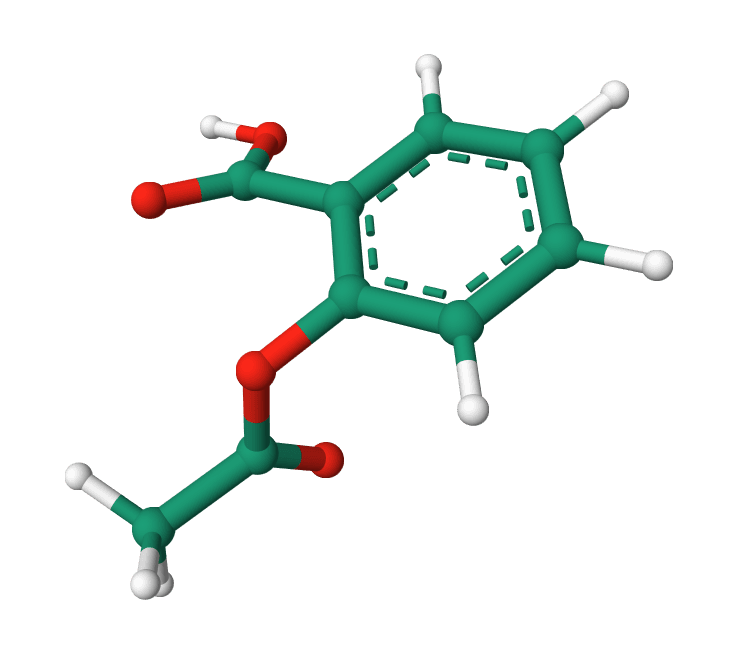
Convert SDF or MOL structures to PDB with connectivity records, headers, and chain assignments. Learn more
Input
How to convert SDF to PDB
Upload an SDF or MOL file, or switch the input to text to paste its contents. Open Babel reads each molecule and writes the corresponding PDB records in the browser. Each atom becomes a HETATM line with its coordinates and element, bonds become CONECT records, and the result downloads as a .pdb file ready for viewers, docking, or alignment. Nothing is uploaded to a server.
A small molecule like formaldehyde converts as follows. Input:
Formaldehyde
  ProteinIQ

  4  3  0  0  0  0            999 V2000
    0.0000    0.0000    0.0000 C   0  0  0  0  0  0  0  0  0  0  0  0
    1.2000    0.0000    0.0000 O   0  0  0  0  0  0  0  0  0  0  0  0
   -0.5000    0.9000    0.0000 H   0  0  0  0  0  0  0  0  0  0  0  0
   -0.5000   -0.9000    0.0000 H   0  0  0  0  0  0  0  0  0  0  0  0
  1  2  2  0  0  0  0
  1  3  1  0  0  0  0
  1  4  1  0  0  0  0
M  END
$$$$
Output with default settings:
HEADER    SMALL MOLECULE                          19-AUG-26   CONV
TITLE     CONVERTED FROM SDF FORMAT
COMPND    MOL_ID: 1; MOLECULE: Formaldehyde;
SOURCE    MOL_ID: 1; SYNTHETIC: YES;
KEYWDS    CHEMICAL COMPOUND
HETATM    1  C   UNL A   1       0.000   0.000   0.000  1.00  0.00           C
HETATM    2  O   UNL A   1       1.200   0.000   0.000  1.00  0.00           O
HETATM    3  H   UNL A   1      -0.500   0.900   0.000  1.00  0.00           H
HETATM    4  H   UNL A   1      -0.500  -0.900   0.000  1.00  0.00           H
CONECT    1    2    2    3    4
CONECT    2    1    1
CONECT    3    1
CONECT    4    1
END
Open Babel preserves the molecule's atom order, geometry, elements, connectivity, and formal charges that PDB can represent. It assigns PDB atom names and may repeat a bonded atom serial in CONECT to represent a multiple bond. ProteinIQ remaps those source records only when needed for the selected model, chain, residue, record-type, or centering settings.
A file holding several molecules keeps every entry. With the default Separate MODEL records mode, each compound lands in its own MODEL block while atom serials and CONECT records stay continuous:
MODEL        1
HETATM    1  C   UNL A   1       0.000   0.000   0.000  1.00  0.00           C
HETATM    2  O   UNL A   1       1.200   0.000   0.000  1.00  0.00           O
HETATM    3  H   UNL A   1      -0.500   0.900   0.000  1.00  0.00           H
HETATM    4  H   UNL A   1      -0.500  -0.900   0.000  1.00  0.00           H
ENDMDL
MODEL        2
HETATM    5  C   UNL A   1       0.000   0.000   0.000  1.00  0.00           C
HETATM    6  O   UNL A   1       1.200   0.000   0.000  1.00  0.00           O
HETATM    7  H   UNL A   1      -0.500   0.900   0.000  1.00  0.00           H
HETATM    8  H   UNL A   1      -0.500  -0.900   0.000  1.00  0.00           H
ENDMDL
CONECT    1    2    2    3    4
CONECT    2    1    1
CONECT    3    1
CONECT    4    1
CONECT    5    6    6    7    8
CONECT    6    5    5
CONECT    7    5
CONECT    8    5
END
Input
| Format | Description |
|---|---|
.sdf, .sd | Structure-Data File holding one or more molecules. |
.mol | MDL Molfile, a single molecule in the same atom and bond block as SDF. |
Paste content directly or upload a file up to 50 MB. Both V2000 (fixed-width columns) and V3000 (keyword based) molblocks are detected automatically, so no version flag is needed.
Settings
| Setting | Description |
|---|---|
Include PDB header | Write HEADER, TITLE, COMPND, SOURCE, and KEYWDS lines with the molecule name and conversion date. Default: on. |
Include CONECT records | Emit CONECT connectivity from the SDF bond block. Most viewers need it to draw bonds for a ligand. Default: on. |
Chain ID | Single letter (A to Z) for the chain column. Anything else falls back to A. Default: A. |
Residue name | Up to three characters for the residue name column. UNL (unknown ligand), LIG, and MOL are common. Default: UNL. |
Atom record type | Auto (HETATM for small molecules) and HETATM both write HETATM lines; ATOM forces ATOM records instead. Default: Auto. |
Multiple molecules | How a multi-molecule file is laid out. Separate MODEL records puts each molecule in its own MODEL/ENDMDL block. Different chain IDs gives molecules sequential chains A, B, C, each starting at residue 1. Concatenate in same chain keeps one chain and increments the residue number per molecule. Default: Separate MODEL records. |
Center coordinates | Shift each molecule so its centroid sits at the origin (0, 0, 0). Default: off. |
Add hydrogens | Add missing explicit hydrogens with Open Babel before PDB writing. Default: off. |
Generate 3D coordinates | Build 3D coordinates with Open Babel, useful for a 2D-only SDF. It runs after hydrogen addition so new atoms are placed correctly. If the input already has 3D coordinates, the tool warns that regenerating rebuilds the geometry and can change the conformation. Default: off. |
Add hydrogens and Generate 3D coordinates process each molecule in the browser and are capped at 200 molecules per file. Plain conversion has no such limit.
Results
| File | Contents |
|---|---|
name.pdb | The converted structure: optional header lines, HETATM or ATOM coordinate records with occupancy, B-factor, element, and charge columns, CONECT records, and a final END. |
name-conversion-log.txt | Settings used, molecule, atom, and bond counts, any warnings, and Open Babel conversion output. |
Both files are named after the input file (an uploaded aspirin.sdf produces aspirin.pdb and aspirin-conversion-log.txt) and appear in the Files tab to copy or download. Warnings, for example a V3000 stereochemistry notice or the already-3D notice, also show above the output.
What are SDF and PDB
SDF (Structure-Data File), developed by MDL, stores small-molecule atoms, explicit bonds with bond orders, and tagged data fields. It is the standard exchange format for chemical libraries and the output of most cheminformatics toolkits.
PDB (Protein Data Bank) is a fixed-width coordinate format that most structure viewers and docking tools read. It records atom positions and connectivity through CONECT lines, but bond-order handling is not portable: Open Babel may repeat a target serial for a multiple bond, while many consumers treat every CONECT entry as plain connectivity. Converting SDF to PDB preserves geometry and connectivity but cannot reliably carry SDF bond-order and stereo semantics into every PDB consumer.
Which converter should I use
| Goal | Tool |
|---|---|
| Turn a PDB structure back into SDF | PDB to SDF |
| Read a SMILES string from an SDF | SDF to SMILES |
| Build a 3D PDB from a SMILES string | SMILES to PDB |
| Convert among mol2, pdbqt, cif, or inchi with hydrogen and pH control | Open Babel Format Converter |
Once a ligand is in PDB, it can be docked into a receptor with AutoDock Vina.
FAQ
Does SDF to PDB keep bond orders?
Not reliably. Open Babel can encode a multiple bond by repeating a target atom in CONECT, but many PDB readers ignore that multiplicity. Keep the SDF if a downstream tool needs authoritative bond orders or stereochemistry.
Why are hydrogens missing from my PDB?
The converter writes exactly the atoms in the input. If the SDF stored only heavy atoms, the PDB has only heavy atoms. Turn on Add hydrogens to add explicit hydrogens with Open Babel before conversion.
Can it convert a 2D SDF into a 3D structure?
Yes. Enable Generate 3D coordinates to build coordinates with Open Babel. For a structure that is already 3D, leave it off, since regenerating discards the original conformation.
How are multiple molecules in one SDF handled?
All entries are kept. Separate MODEL records wraps each in a MODEL block, Different chain IDs assigns chains A, B, C, and Concatenate in same chain keeps one chain with incrementing residue numbers. CONECT numbering stays correct in every mode.
What residue name should I use for docking?
UNL is a safe default for an unknown ligand. Many docking and preparation pipelines expect a three-letter code, and LIG is a common choice when a tool keys on a specific residue name.
Related tools

Open Babel
Run Open Babel in the browser to convert chemical and structure files, with coordinate, hydrogen, and pH options where the WASM runtime supports them.
PDB to SDF Converter
Convert Protein Data Bank files to Structure Data Format
SDF to PDBQT Converter
Convert SDF and MOL ligand structures to AutoDock PDBQT format
SDF to SMILES
Convert SDF ligand files, including multi-record batches, into SMILES strings.
SMILES to PDB
Convert SMILES strings into 3D PDB files for molecular visualization and downstream docking preparation.
SMILES to SDF
Convert single SMILES strings or small batches into 3D SDF files with downloadable per-entry files and a combined batch output.
InChI to SMILES
Convert InChI strings into SMILES with batch support and downloadable outputs.
MOL to SMILES
Convert MDL MOL ligand files into canonical SMILES strings for registration, filtering, and downstream analysis.
MOL2 to SMILES
Convert MOL2 ligand files into SMILES strings for registration, filtering, and downstream analysis.
SMILES to InChI
Convert SMILES strings into InChI strings with batch support and downloadable outputs.