TL;DR
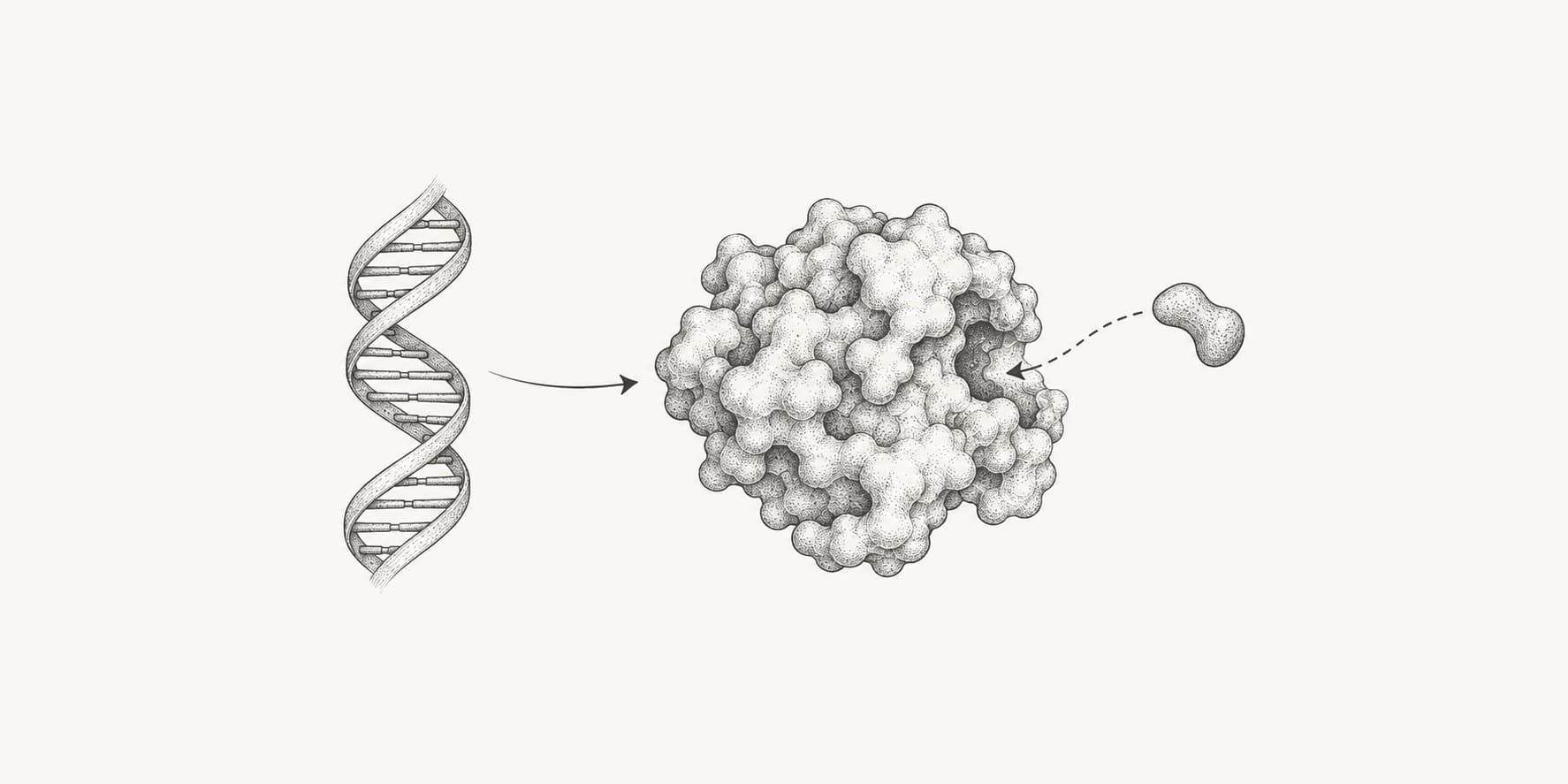
- DiffDock needs a protein (a PDB file, a PDB ID, or a sequence that ESMFold folds first) and a small-molecule ligand (SMILES, SDF, MOL, MOL2, PDB, or PDBQT). It needs no binding box.
- Start with the DiffDock defaults: 10 poses, 20 inference steps, 19 actual steps, and no final step noise. Change the advanced sampling settings only for method development.
- The confidence score ranks poses by how likely they are to be within 2 Å of the true pose. Above 0 is high, −1.5 to 0 moderate, and below −1.5 low, with lower bands for large ligands, multichain proteins, and apo structures.
- Confidence is not binding affinity, and a well ranked pose can still contain clashes. Check poses with PoseBusters and rescore them with Vina or GNINA before relying on them.
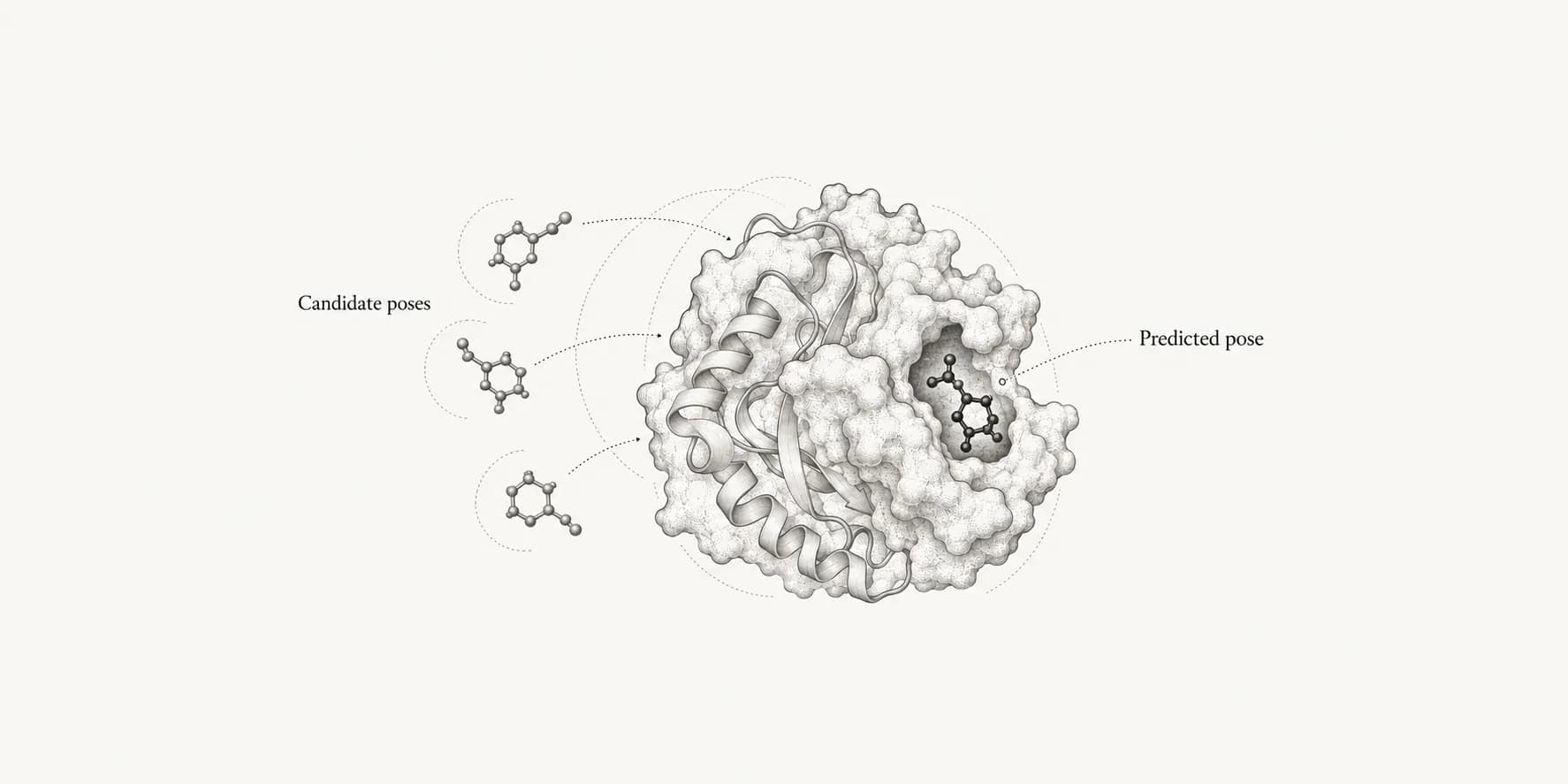
DiffDock predicts where and how a small molecule binds to a protein without being told where the pocket is. It generates several candidate poses with a diffusion model and ranks them with a learned confidence score. The main caveat is that confidence estimates pose accuracy, not binding strength, and a confident pose can still be physically imperfect.
You can run DiffDock online on the ProteinIQ DiffDock webserver with a protein structure or sequence and a ligand. It needs no installation, no GPU, and no binding box. A default job returns 10 ranked poses in about a minute.
Open DiffDock online
Open the ProteinIQ DiffDock webserver.
Add the protein and the ligand
Upload a receptor structure, enter a PDB ID, or paste a protein sequence. Then add the ligand as SMILES or as a structure file.
Keep the default settings for a first run
Use 10 poses with the default diffusion schedule.
Inspect the ranked poses
Compare the top poses in the viewer and read their confidence scores together, not only rank 1.
What is DiffDock?
DiffDock is a deep learning method for protein and small-molecule docking developed at MIT. It treats docking as a generative problem: instead of searching for the minimum of a scoring function, it learns to generate plausible ligand poses and then ranks them with a separate confidence model.[1]
The original DiffDock was presented at ICLR 2023. It reported a 38% top-1 success rate (ligand RMSD below 2 Å) on the PDBBind test set, compared with 23% for the best traditional docking method and 20% for earlier deep learning methods in the same evaluation.[1]
DiffDock-L followed at ICLR 2024. It scaled the model from about 20 million to about 30 million parameters, added synthetic training complexes, and sampled training proteins across structural domain clusters. With 10 samples, DiffDock-L raised the top-1 success rate from 35.0% to 43.0% on PDBBind and from 7.1% to 22.6% on DockGen, a benchmark of binding pockets from protein domains unlike those in the training set.[2]
ProteinIQ runs DiffDock release v1.1.3 with the v1.1 model weights, which are the DiffDock-L models. It runs the repository's own inference.py with its published default configuration, so a ProteinIQ job behaves like a local DiffDock run.[3]
DiffDock, DiffDock-L, and NVIDIA's DiffDock NIM
Three models share the DiffDock name, and search results mix them up:
| Model | Source | What it is |
|---|---|---|
| DiffDock | MIT, ICLR 2023 | The original diffusion docking model, about 20 million parameters. |
| DiffDock-L | MIT, ICLR 2024 | The larger, retrained model released as DiffDock v1.1. This is the model on ProteinIQ. |
| DiffDock NIM 2.x | NVIDIA BioNeMo | A separately trained model served as an NVIDIA container and API, trained on the PLINDER and SAIR datasets. |
NVIDIA reports that its v2.2 model reaches a 50.59% top-1 success rate on a 92-complex subset of the PoseBusters dataset, against 30.00% for the original DiffDock v1.0 on the same subset.[4][5] That comparison does not include DiffDock-L, and the NIM is distributed as an NVIDIA container and API under NVIDIA's license terms.
How does DiffDock work?
The online form has only two inputs and a few settings, but each job runs several distinct stages. Knowing what happens at each stage makes the results and their failure modes easier to read.
It represents the complex as a graph
DiffDock converts the protein and the ligand into a heterogeneous geometric graph. Ligand atoms and protein residues become nodes. Each residue receives features from ESM-2, a protein language model, so the representation carries sequence information as well as the positions of the alpha carbons.[1][6]
The protein is held rigid. DiffDock does not move backbone or side chains, so it cannot model an induced fit that the input structure does not already show.[1]
It regenerates the ligand's starting geometry
DiffDock uses the ligand's chemistry, not its coordinates. It reads the molecule, adds hydrogens, and generates a fresh 3D conformer with RDKit before docking. This is the same for SMILES and for uploaded SDF, MOL, or MOL2 files, so prepared 3D coordinates do not change the result.[3]
It samples poses by reverse diffusion
Docking a rigid protein and a flexible ligand has three kinds of freedom: where the ligand sits (translation), how it is oriented (rotation), and the angles of its rotatable bonds (torsions). DiffDock defines a diffusion process over exactly these degrees of freedom.[1]
Each sample starts from a random position, orientation, and set of torsions around the protein. The score model then predicts, step by step, how to move the ligand toward a plausible bound pose. After the final step, each sample is a complete candidate pose.[1]
It ranks the poses with a confidence model
A separate confidence model looks at every generated pose and predicts how likely it is to lie within 2 Å of the true pose. DiffDock sorts the poses by that score, so rank 1 is the pose the model trusts most.[1]
Because the samples start from different random positions, a set of poses can cover several pockets. This is what makes DiffDock useful for blind docking, where the binding site is not known in advance.[1]
What changed in DiffDock-L
DiffDock-L kept the same approach but targeted generalization. Besides the larger model and cluster-balanced training, it added synthetic complexes that treat protein side chains as stand-in ligands, and a training scheme called confidence bootstrapping, in which the confidence model scores the diffusion model's own samples to refine it on unfamiliar protein classes.[2]
How to use DiffDock online
1. Open DiffDock
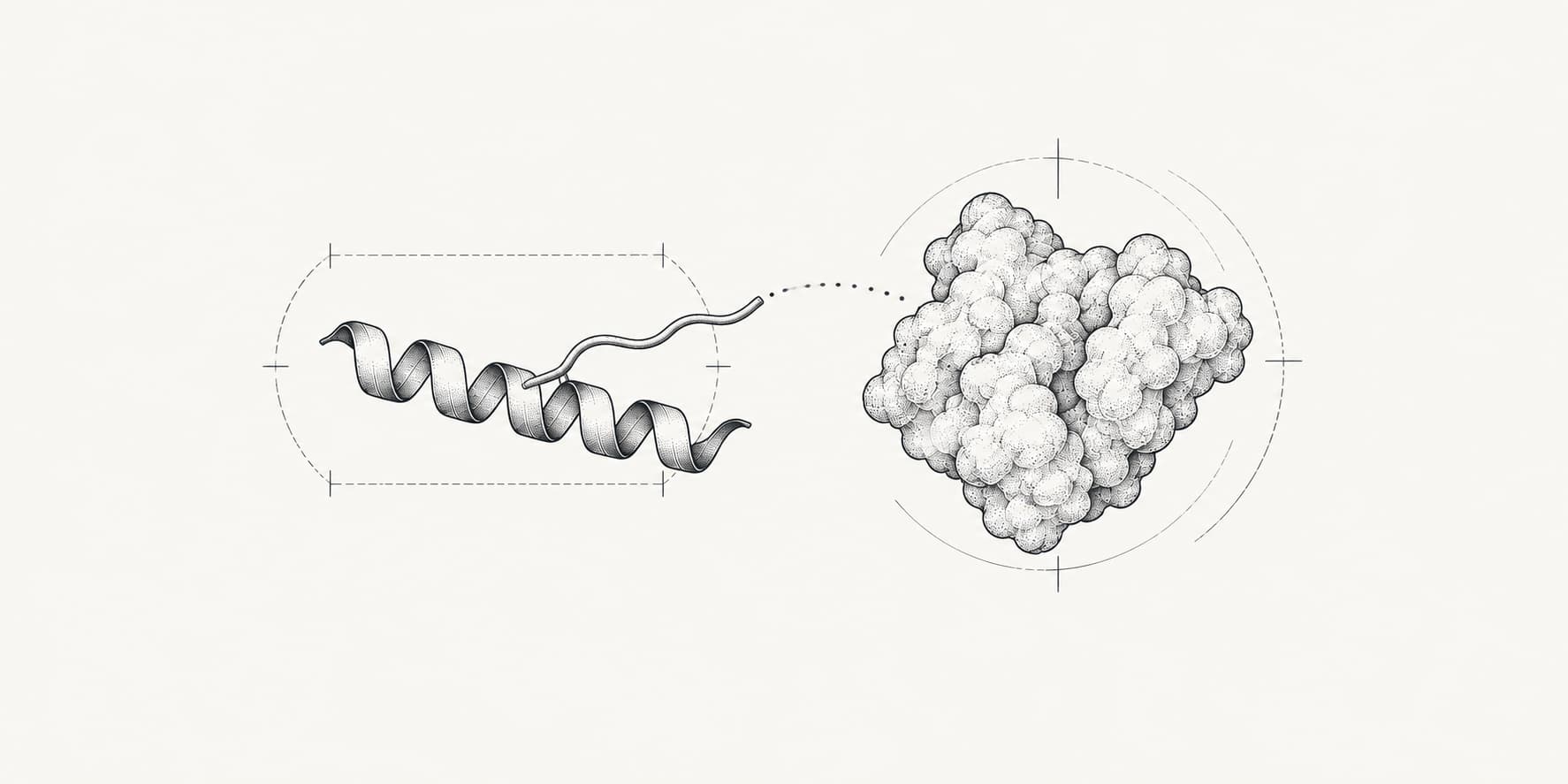
Open the DiffDock webserver. The form has a Protein input, a Ligand input, and the docking settings.
2. Add the protein
Add the receptor in one of three ways:
- Upload a
.pdbor.entfile, or fetch an entry from the RCSB PDB by its ID. - Paste or upload a protein sequence. DiffDock then predicts the receptor with ESMFold before docking. Put each chain in its own FASTA record.
- Trim a large structure to the relevant domain with the structure editor before submitting.
DiffDock reads the file exactly as you submitted it. If alternate locations, missing atoms, or unusual residues matter for the pocket, resolve them before submitting.
A holo structure, solved with a ligand in the same pocket or a close homologue, gives the best chance of success. On structures predicted without a ligand, the original DiffDock paper still outperformed earlier methods, but its top-1 success rate fell to 21.7%.[1]
DiffDock accepts receptors up to 3,000 residues. On the Free plan the limit is 1,000 residues per job.
3. Add the ligand
Enter a SMILES string or upload an SDF, MOL, MOL2, PDB, or PDBQT file. An SDF file with several records runs one job per molecule.
Check the chemistry before you submit. Because DiffDock regenerates the ligand's 3D geometry, it keeps the stereochemistry, charges, and protonation implied by your input but none of its coordinates. Prefer SDF or MOL2 over PDB or PDBQT, which carry less bond and charge information.
DiffDock was trained on drug-like molecules bound to proteins. Very large, highly flexible ligands, peptides longer than a few residues, and nucleic acids are outside what it was designed for.[3]
4. Choose the docking settings
The defaults come from DiffDock's own configuration, and they are the right starting point:
| Setting | Default | What it changes |
|---|---|---|
Number of poses | 10 | How many poses DiffDock samples and ranks. More poses cover more of the protein and take longer. |
Inference steps | 20 | The length of the reverse diffusion schedule. DiffDock-L was released with 20. |
Actual steps | 19 | How many steps of that schedule are run. The default stops one step before the end. |
No final step noise | on | Removes random noise from the last step, which makes each final pose sharper. |
Save reverse-diffusion visualization | off | Adds a trajectory file per pose that shows its path from the random start. |
Increase Number of poses to 20 or 40 for large proteins or when the pocket is unknown, since each additional sample is another independent starting point. Keep the other settings at their defaults unless you are comparing protocols.
The Advanced sampling group contains the sampling temperatures, the initial noise scale, and the option to start each pose at a random residue. Their defaults are values the authors tuned for DiffDock-L.[3] Changing them changes the method, so treat them as experiment controls rather than accuracy knobs.
5. Run the job
A default job with a structure input takes about a minute. A sequence input adds the ESMFold prediction. Each DiffDock job costs 50 credits.
6. Inspect and download the results
The result page has three views:
Viewershows the receptor with the selected docked pose. Step through the ranks to compare where the poses land.Datalists each pose with itsRankandConfidence.Filescontains every pose as an SDF file, the receptor, the reverse diffusion trajectories if you requested them, and the run record.
The run record includes the exact configuration and arguments DiffDock used, the unrounded confidence values and coordinates for every sample, and the complete run log. Keep it with your results. DiffDock has no random seed, so the record is what documents a run.
DiffDock example
Thrombin with a beta-strand mimetic inhibitor (1A46)
The DiffDock repository ships a worked example: the thrombin structure 1A46 and its bound inhibitor.[3][7] The receptor file contains the thrombin light chain (26 residues) and heavy chain (250 residues). The ligand is a peptide-like inhibitor provided as SDF.
Running this example with the default settings returned 10 poses with confidence scores from about −2.4 for rank 1 to about −4.4 for rank 10. By the authors' rough bands that is low confidence, even though the inhibitor comes from a crystal structure of this complex. The authors note that the bands should shift down for larger ligands and multichain proteins, which describes this case: a large, flexible inhibitor docked into a two-chain receptor.[3]
The example is a reminder to read confidence relative to the system you are docking. Your values will differ between runs because each run starts from new random poses.
How accurate is DiffDock?
Reported accuracy depends heavily on the benchmark. Numbers from different papers used different test sets, sample counts, and pocket information, so compare rows only within the same study:
| Study and test set | DiffDock result | Comparison |
|---|---|---|
| DiffDock paper, PDBBind test set | 38% top-1 within 2 Å | 23% for the best traditional method[1] |
| DiffDock paper, ESMFold-predicted receptors | 21.7% top-1 within 2 Å | 10.4% or less for earlier methods[1] |
| DiffDock-L paper, PDBBind, 10 samples | 43.0% (DiffDock-L) | 35.0% (DiffDock)[2] |
| DiffDock-L paper, DockGen unseen domains, 10 samples | 22.6% (DiffDock-L) | 7.1% (DiffDock)[2] |
| PoseBusters, Astex Diverse set, RMSD only | 72% (DiffDock) | 67% Gold, 58% AutoDock Vina[8] |
| PoseBusters, Astex Diverse set, RMSD and physically valid | 47% (DiffDock) | 64% Gold, 56% AutoDock Vina[8] |
| PoseBusters Benchmark set, complexes from 2021 onward | 12% (DiffDock) | 58% AutoDock Vina, 55% Gold[8] |
The PoseBusters rows tested the original 2023 DiffDock, not DiffDock-L. They also gave AutoDock Vina and Gold a 25 Å search region centered on the crystal ligand, while DiffDock searched the whole protein.[8] The main lessons still hold for DiffDock-L: RMSD alone overstates quality, and accuracy drops on proteins unlike the training data.
DiffDock vs AutoDock Vina
DiffDock and AutoDock Vina answer the docking question in different ways:
| DiffDock | AutoDock Vina | |
|---|---|---|
| Binding site | Not needed; searches the whole protein | Needs a search box around a pocket |
| Search | Learned reverse diffusion from random starts | Stochastic search with local optimization |
| Score | Confidence that the pose is within 2 Å | Empirical affinity estimate in kcal/mol |
| Ligand coordinates | Regenerated from the chemistry | Starts from the prepared 3D ligand |
| Reproducibility | No seed; runs differ | Fixed seed reproduces a run |
| Physical validity | Poses can contain clashes | Poses respect the scoring function's sterics |
Use DiffDock when the pocket is unknown or you want an independent, learned view of where a ligand binds. Use Vina when the site is known, when you need an energy-based score, or when poses must be physically sound without refinement. A common workflow uses both: DiffDock proposes the site, and Vina or GNINA docks and scores the ligand in that pocket.
DiffDock vs AlphaFold 3 and Boltz-2
Co-folding models such as AlphaFold 3, Boltz-2, and Chai-1 predict the protein and the ligand together from the sequence. The AlphaFold 3 paper reported far greater accuracy for protein-ligand interactions than state-of-the-art docking tools.[9]
DiffDock is still useful beside them. It docks into the exact structure you provide, including a specific experimental conformation, it is typically faster per ligand, and its ranked set of poses shows alternative sites. Co-folding models suit cases where the binding site may reshape around the ligand or no reliable structure exists, and Boltz-2 also estimates binding affinity.
How should you interpret DiffDock confidence scores?
The confidence score estimates how likely a pose is to be within 2 Å of the true binding pose. Higher is better, and the scale is unbounded. The DiffDock authors suggest this rough guide for the top pose:[3]
| Top-pose confidence | Interpretation |
|---|---|
| Above 0 | High confidence |
| −1.5 to 0 | Moderate confidence |
| Below −1.5 | Low confidence |
These bands assume a drug-like ligand and a medium-sized protein with one or two chains in a conformation close to the bound state. For large ligands, large complexes, or apo and predicted structures, the authors recommend shifting the intervals down.[3]
Use confidence to rank poses within one job, and to compare similar jobs on the same receptor. Comparisons across different proteins, or across conformations of the same protein, are much less reliable.[3]
Confidence is not binding affinity
DiffDock does not predict binding affinity, IC50, or Kd. Collaborators of the authors have seen some correlation between confidence and binding, since a non-binder rarely gets a good pose, but the score is not a measure of binding strength.[3] For affinity estimates, the authors recommend relaxing the pose and rescoring it with a docking scoring function such as GNINA, MM/GBSA, or free energy calculations.[3]
Rank 1 is not always the answer
The confidence model is right more often than any single pose, but it still misranks. Look at the top three to five poses together. When several high-ranked poses agree on one pocket and a similar orientation, that consensus is more convincing than a single top pose. When they scatter across the protein, treat the site as unresolved.
How to check a DiffDock pose
A good confidence score says the pose is likely to be near the right place. It does not say the geometry is chemically sound. The PoseBusters study found that deep learning docking methods, including DiffDock, often return poses with steric clashes, distorted bonds, or other physical problems that RMSD alone does not reveal.[8]
Before you rely on a pose:
- Run the pose and receptor through PoseBusters to catch clashes and invalid geometry.
- Inspect the contacts with PLIP or ProLIF and check that key interactions make chemical sense.
- Redock a ligand with a known pose into the same receptor and confirm DiffDock recovers it.
- Rescore or refine the pose with a physics-based method such as AutoDock Vina or GNINA, and treat disagreement between methods as a warning. The consensus docking page describes this approach.
Using DiffDock for virtual screening
To dock a set of compounds against one receptor, upload them as a multi-record SDF file. Each molecule runs as its own DiffDock job against the same receptor, and each job costs 50 credits. Batch runs are available on paid plans, with up to 100 molecules per batch depending on the plan.
Treat DiffDock as a pose generator in a screen, not as the ranking function. Confidence compares poses of one ligand better than it compares different ligands, and it does not measure affinity.[3] A practical screening pass keeps compounds whose top poses agree on the intended pocket, checks them with PoseBusters, and rescores the survivors with GNINA or AutoDock Vina. ProteinIQ workflows can run DiffDock next to Vina, GNINA, and DynamicBind on the same inputs. The high-throughput virtual screening page describes screening setups in more detail.
Common DiffDock errors
DiffDock reports most failures in its log rather than as a crash. On ProteinIQ the full log is in native/run.log, and the job error shows DiffDock's own reason. The messages below are the ones you will also see when running DiffDock locally.
Bad Conformer Id
RDKit could not embed the ligand in 3D, which happens with some rigid polycyclic molecules. On ProteinIQ the job reports that DiffDock could not construct a starting 3D geometry for the ligand. Uploading the same molecule as SDF or MOL does not help, because DiffDock regenerates the coordinates.[3] Use a method that keeps prepared 3D coordinates, such as GNINA or AutoDock Vina.
The test dataset did not contain complex_0
This generic message means DiffDock could not build the protein-ligand graph and skipped the complex. The line before it names the actual reason, such as an unreadable ligand (Failed to read molecule) or a receptor problem (Skipping complex_0 because of the error). Check the ligand SMILES or file first, then the receptor.
Sizes of tensors must match except in dimension 1
A protein chain is longer than 1,022 residues. DiffDock cuts the ESM-2 embeddings at that length, so they no longer match the structure.[3] Submit the chain or domain that contains the binding site.
The receptor is too large
The receptor has more than 3,000 residues, DiffDock's own limit.[3] Trim it to the relevant chains or domain.
'NoneType' object has no attribute 'ca'
DiffDock found no readable protein residues in the receptor file. This happens with files that are not standard fixed-width PDB, such as coordinates whose columns were collapsed by a text editor. ProteinIQ rejects such files before the job runs. Re-export the structure as a standard PDB file, or repair it with PDB Fixer.
Poor results with multichain receptors
DiffDock assigns the ESM-2 residue features chain by chain in alphabetical order of the chain IDs, while it reads coordinates in file order.[3] If your file lists chain B before chain A, residues can receive features that belong to another chain. When a multichain receptor gives unexpectedly poor results, save it with the chains in alphabetical order and run it again.
The pose sits outside the expected pocket
DiffDock searches the whole protein. If the expected pocket is small, partly closed, or only formed in a different conformation, the top poses may land elsewhere. Try a holo structure, increase Number of poses, or use pocket-directed docking such as AutoDock Vina once the site is known. fpocket can suggest candidate pockets.
Running DiffDock locally vs online
DiffDock is open source, and you can run it yourself. A local installation needs the conda environment from the repository or its Docker image, and a GPU is strongly recommended because CPU runs are much slower. The first run on a machine precomputes lookup tables for the diffusion process, which takes a few minutes, and sequence inputs need the ESMFold weights in addition to the DiffDock models.[3] The authors also host a free Hugging Face Space for trying single complexes.[3]
Running DiffDock online on ProteinIQ removes the installation and GPU. ProteinIQ runs the same v1.1.3 code and default configuration as a local install, and adds batch runs, workflows, stored results, and the run record for each job.
DiffDock alternatives
DiffDock is a strong choice when the pocket is unknown and the ligand is drug-like. Other methods fit other questions better:
| Method | Choose it when |
|---|---|
| AutoDock Vina | You know the pocket and want a fast, physics-based search with a reproducible seed and a score in kcal/mol. |
| GNINA | You want docking or rescoring with convolutional neural network scoring on prepared 3D ligands. |
| SurfDock | You want another diffusion-based docking method to compare with DiffDock. |
| DynamicBind and FlowDock | The protein is likely to change shape when the ligand binds. |
| Boltz-2 and Chai-1 | You want to predict the protein and ligand together from sequence, and Boltz-2 also estimates affinity. |
No method is best on every target. Compare methods on ligands with known poses for your protein before running a large screen. The AI molecular docking and blind docking pages cover these approaches in more detail.
A practical DiffDock checklist
Before you trust a DiffDock result, check:
- The receptor is a holo or close-homologue structure, or you accept lower accuracy.
- Chains are in alphabetical order and no chain exceeds 1,022 residues.
- The ligand's stereochemistry, charge, and protonation state are what you intend.
- You generated enough poses for the size of the protein.
- You compared the top poses, not only rank 1.
- You read the confidence against the system, with lower bands for large ligands and complexes.
- The selected pose passes PoseBusters and makes sensible contacts.
- You kept the run record with the result.
DiffDock tools on ProteinIQ
- DiffDock: Blind docking of a small molecule to a protein structure or sequence with ranked confidence scores.
- ESMFold: Predict a receptor structure from sequence when no experimental structure exists.
- PDB Fixer: Repair missing atoms and nonstandard residues before docking.
- fpocket: Find candidate pockets to compare with DiffDock's poses.
- PoseBusters: Check a docked pose for physical and chemical validity.
- PLIP: List the interactions a pose makes with the receptor.
- GNINA and AutoDock Vina: Rescore, refine, or cross-check DiffDock's poses.
DiffDock FAQs
Can I use DiffDock online for free?
Yes. A DiffDock job costs 50 credits. The ProteinIQ Free plan starts with 200 welcome credits. From the following month, a balance below 100 credits is refilled to 100 once a month. Free allows up to three jobs a day with receptors of up to 1,000 residues.
What is the difference between DiffDock and DiffDock-L?
DiffDock-L is the second DiffDock release from the same MIT group. It is a larger model trained with more data and new generalization strategies, and it docks more accurately, especially on proteins unlike its training set.[2] ProteinIQ runs DiffDock-L.
Is DiffDock better than AutoDock Vina?
Not in general. DiffDock does not need a pocket and did better than earlier methods on the benchmarks in its papers, but independent tests with physical validity checks found that classical docking produced more usable poses, especially on new targets.[1][8] Many projects use both.
Does DiffDock need a binding site?
No. DiffDock samples poses across the whole protein, so it can dock without a pocket or search box. If you know the site, check that the top poses land there, or use a pocket-directed method.
Does DiffDock predict binding affinity?
No. The confidence score estimates the accuracy of the pose, not binding strength. Use rescoring or free energy methods for affinity.[3]
Can I run DiffDock without a GPU?
Locally, DiffDock runs on a CPU but much more slowly than on a GPU.[3] Online, ProteinIQ runs every job on a GPU, so you do not need one.
Can I dock to a protein sequence without a structure?
Yes. Paste the sequence and DiffDock predicts the receptor with ESMFold before docking.[6] The predicted structure is returned with the poses. Expect lower accuracy than with a holo crystal structure.
Why are all my confidence scores negative?
Negative scores are common, especially for large ligands, multichain receptors, and predicted or apo structures. Read them against the rough bands, and compare poses within the same job rather than across unrelated targets.[3]
Can DiffDock dock peptides or proteins?
DiffDock was designed and trained for small molecules. Short peptides may work, but the authors recommend other methods for protein-protein and protein-nucleic acid interactions.[3]
Why is there no trajectory file in my results?
Trajectory files are only written when Save reverse-diffusion visualization is on. Turn it on before submitting to get one reverse diffusion trajectory per ranked pose.
Why do two identical runs give different poses?
DiffDock starts each sample from a random pose and has no seed setting, so repeated runs differ. Compare repeated runs to see which poses recur, and keep the run record for each result you report.