The best free ChemDraw alternatives in 2026
What to use now that ChemSketch and Marvin are no longer free

Matic Broz, PhD18 min
For years the answer to "is there a free ChemDraw?" was ACD/ChemSketch Freeware, with Chemaxon's Marvin as the runner-up. Both answers expired in 2026. Revvity Signals, the company behind ChemDraw, bought ACD/Labs in January and discontinued the freeware; its download page now offers a ChemDraw trial instead.[3] Certara, which owns Chemaxon, ended free individual academic Marvin licenses on July 31.[4]
That leaves a lot of students, teachers and researchers who need a correct structure for a report, a slide or a docking run, and who can't justify $1,355 a year for ChemDraw Professional.[1] We went through the free chemical drawing software that still exists, online and desktop, plus one cheap paid app for people who need a full replacement.
ProteinIQ makes one of the tools below, SketchIQ, so read our enthusiasm for it with that in mind. We've tried to be as specific about its gaps as about its strengths.
The best free ChemDraw alternatives
- SketchIQ for a full replacement in your browser
- Ketcher for an open-source editor you can run yourself
- PubChem Sketcher for a quick structure with no account
- MolView for 2D drawing with a 3D model beside it
- ChemDoodle for a cheap full desktop replacement
- Avogadro for building 3D models
And ChemDraw itself, for the things the free tools still can't do.
What makes a good ChemDraw alternative?
Most people searching for a free ChemDraw don't need all of ChemDraw. They need to draw a correct structure quickly, get it out in a format that something else reads, and now and then open a .cdx file a colleague sent. We judged every tool on those jobs rather than on feature counts, using each vendor's own documentation and price list, checked on October 31, 2026.
Drawing came first: rings, stereo bonds, charges and clean-up. File exchange came next, meaning ChemDraw CDX and CDXML alongside MOL, SDF, SMILES and InChI, and images good enough for a slide. We also looked at how fast you can get a structure in without drawing it (by name, CAS number or database ID), what each tool tells you about the molecule once it's drawn, and what it costs to keep using it.
We left out apps that are free only as a time-limited trial, programming toolkits such as RDKit and Open Babel that have no drawing canvas, and apps that haven't had a release in years.
The best ChemDraw alternatives at a glance
| App | Best for | Runs on | ChemDraw files | Biggest gap | Price |
|---|---|---|---|---|---|
| ChemDraw | The full feature set, naming and NMR prediction | Windows, macOS; web app with Signals ChemDraw | Native | Price | From $700 per person per year; 15-day trial |
| SketchIQ | A full replacement in your browser | Web browser | Opens and exports CDX and CDXML | No editable paste into Office | Free; NMR prediction 10 credits |
| Ketcher | An open-source editor you can run yourself | Web browser | Opens and exports CDX and CDXML | Bare editor with no database search | Free, Apache 2.0 |
| PubChem Sketcher | A quick structure with no account | Web browser | Exports CDX and ChemDraw XML | Dated interface | Free |
| MolView | 2D drawing with a 3D model beside it | Web browser | No | Free plan can't save | Free; paid plans from $9 a year |
| ChemDoodle | A cheap full desktop replacement | Windows, macOS, Linux | Opens CDX and CDXML | Not free | $199 a year or $999 lifetime; 14-day trial |
| Avogadro | Building 3D models | Windows, macOS, Linux | No | Not a 2D drawing tool | Free, BSD 3-clause |
The gold standard for chemical drawing
ChemDraw (Windows, macOS, web)
ChemDraw pros:
- The file format journals, patent offices and most chemistry departments expect
- Name-to-structure, structure-to-name and NMR prediction in ChemDraw Professional
ChemDraw cons:
- From $700 per person per year, with only a 15-day trial for free
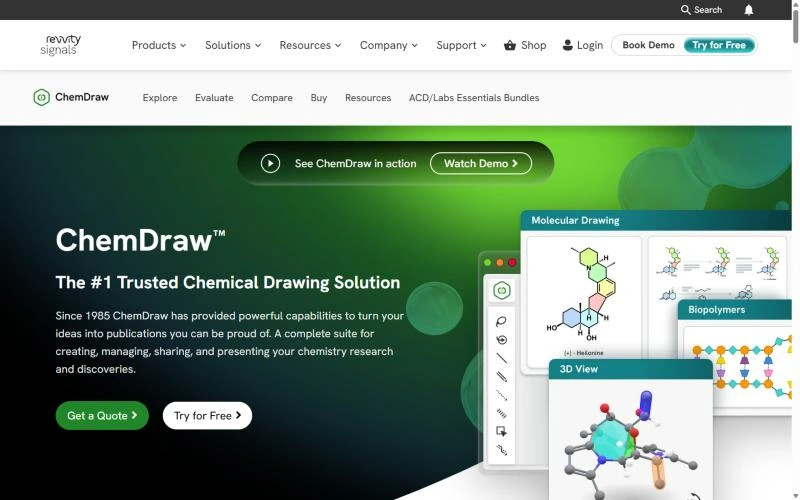
ChemDraw is still the program the others are measured against. Journals, patent attorneys and most chemistry departments expect its files, and a drawing pasted into Word or PowerPoint stays editable for anyone else with ChemDraw installed. If you draw structures every day, it may well be worth the money.
The money depends on the tier. ChemDraw Prime, at $700 per person per year, covers drawing, structure and reaction clean-up, SMILES and InChI paste, and journal style settings.[1]
ChemDraw Professional, at $1,355, adds the two features people miss most: name-to-structure and structure-to-name conversion, and ¹H and ¹³C NMR prediction. It also bundles Chem3D Pro and ChemDraw for Excel on Windows. Signals ChemDraw, at $1,415, adds the ChemDraw web app and shared collections, which makes it the only way to get ChemDraw online.[1]
All three are annual subscriptions, and the free option is a 15-day trial.[2] Before paying, check whether your university has a site license. Many do, and some extend it to students' own computers.
ChemDraw price: ChemDraw Prime $700, ChemDraw Professional $1,355 and Signals ChemDraw $1,415 per person per year.
Best free ChemDraw alternative for a full replacement in your browser
SketchIQ (Web)
SketchIQ pros:
- Names new structures, reads names back into structures and predicts pKa, logD and NMR shifts
- Reaction schemes with a stoichiometry table, mechanism arrows and lone pairs
- Opens and exports ChemDraw CDX and CDXML, and sends molecules to docking and ADMET tools
SketchIQ cons:
- Copies into Office as an image, not an editable drawing
- NMR prediction needs an account and costs credits
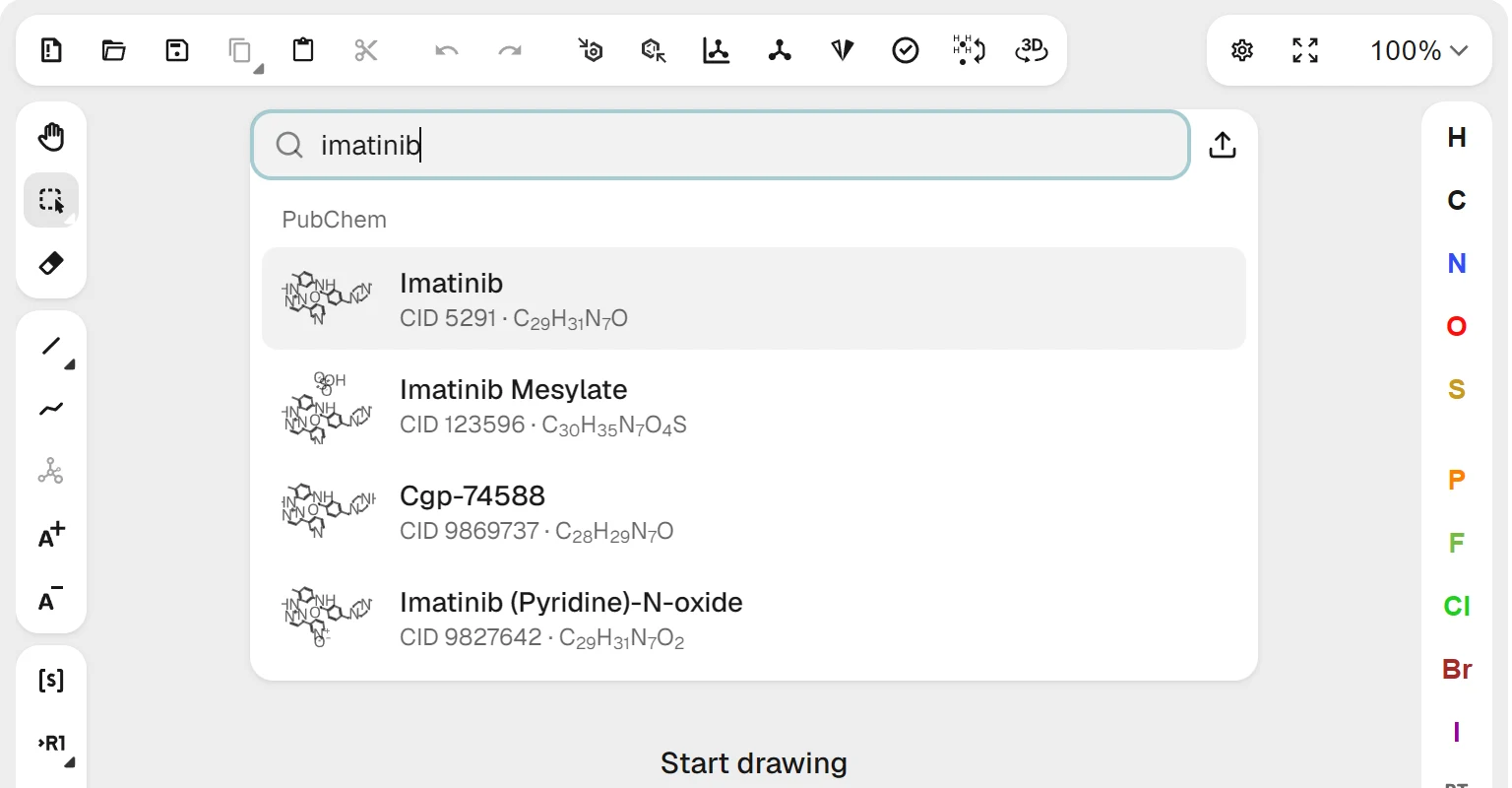
SketchIQ is ProteinIQ's free structure drawer, and it starts from a different place than most sketchers: you rarely draw a known drug from scratch. Type a name, CAS number, PubChem CID, InChIKey, SMILES or InChI into the search box, and PubChem matches appear as you type, each with a small drawing of the structure.
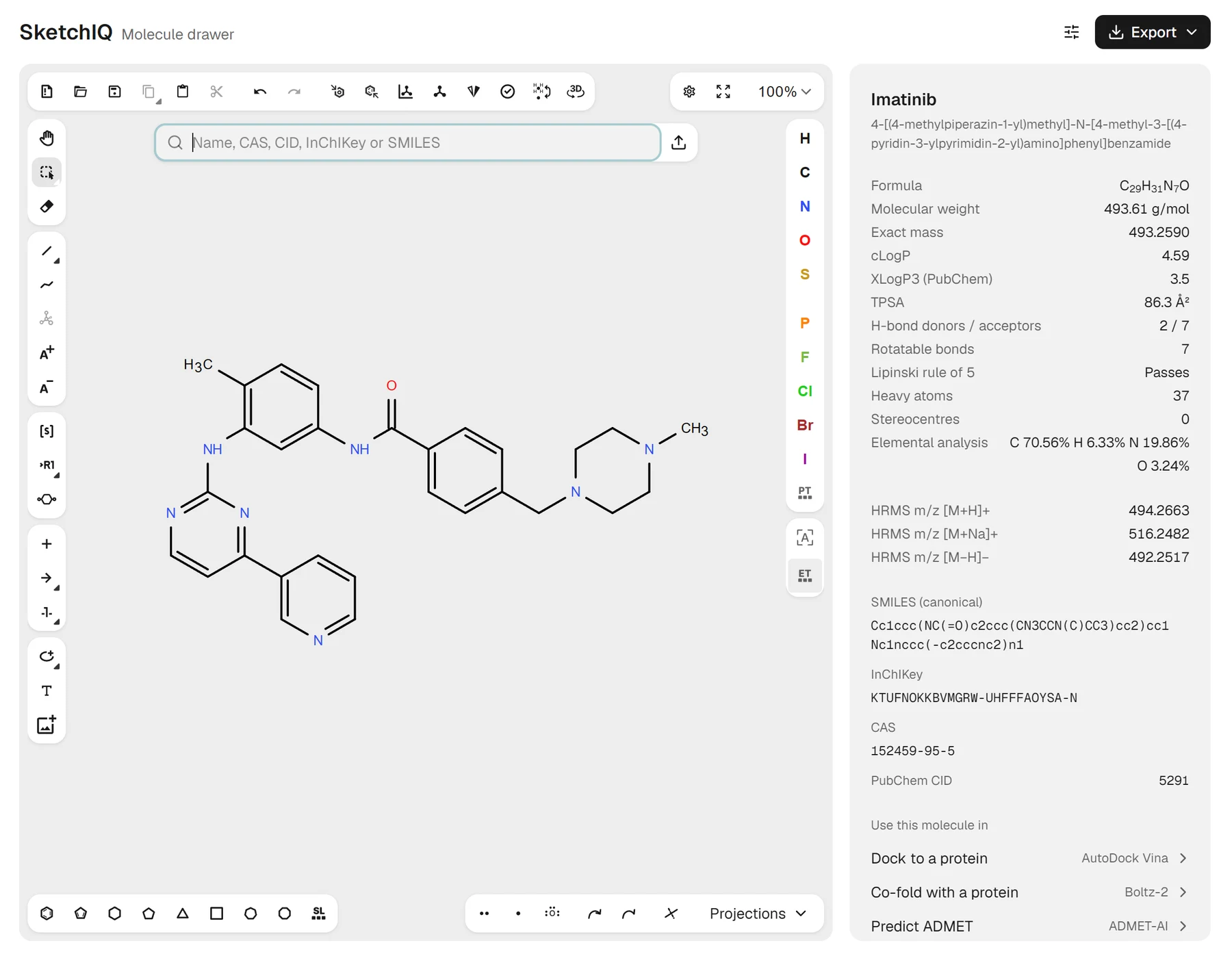
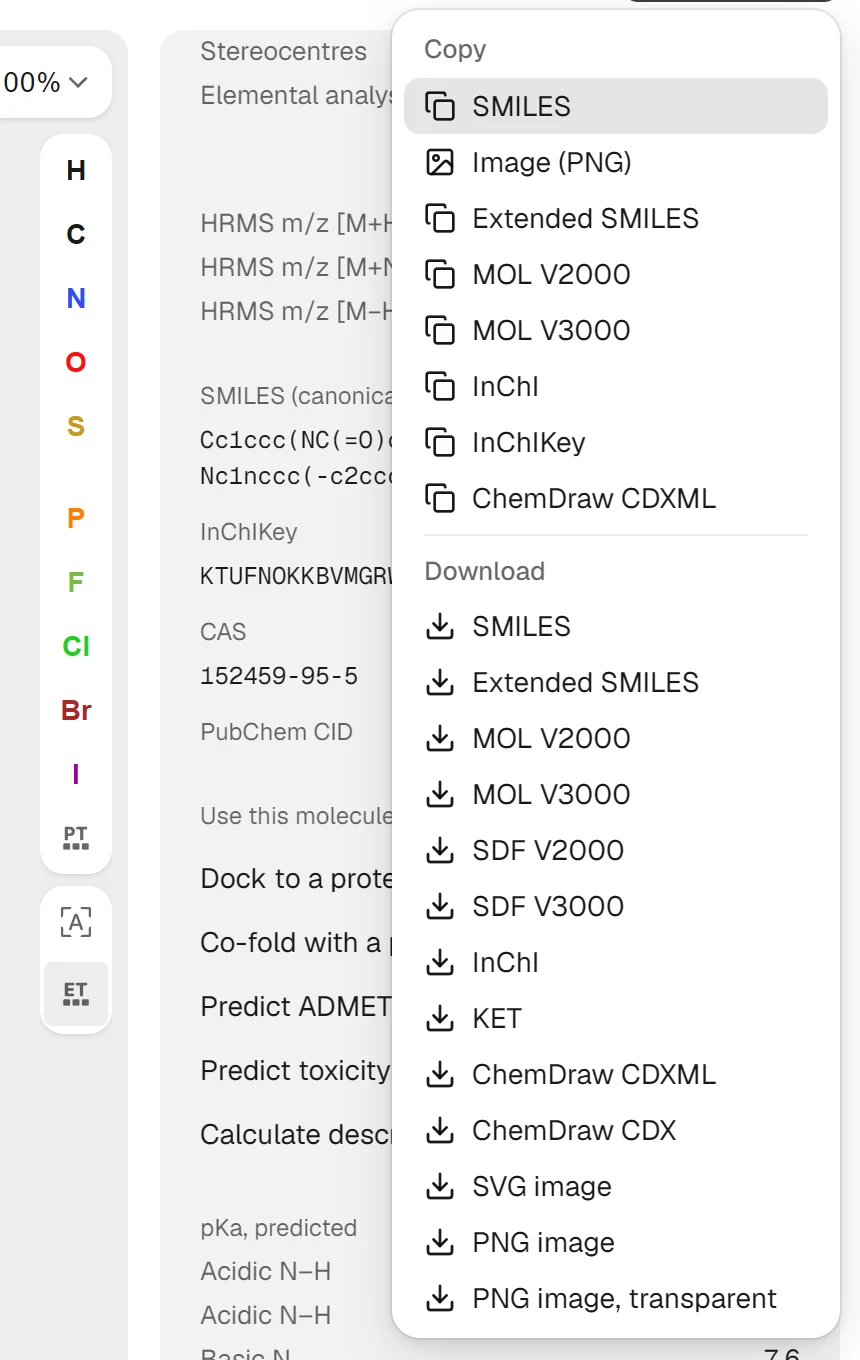
Pick imatinib and the panel fills with its IUPAC name, formula C₂₉H₃₁N₇O, molecular weight 493.61 g/mol, exact mass, elemental analysis and calculated HRMS m/z (494.2663 for [M+H]⁺). RDKit adds cLogP, TPSA, hydrogen-bond donors and acceptors, rotatable bonds and a Lipinski rule of 5 check, all calculated in your browser. Click the canonical SMILES, InChIKey or CAS number to copy it.
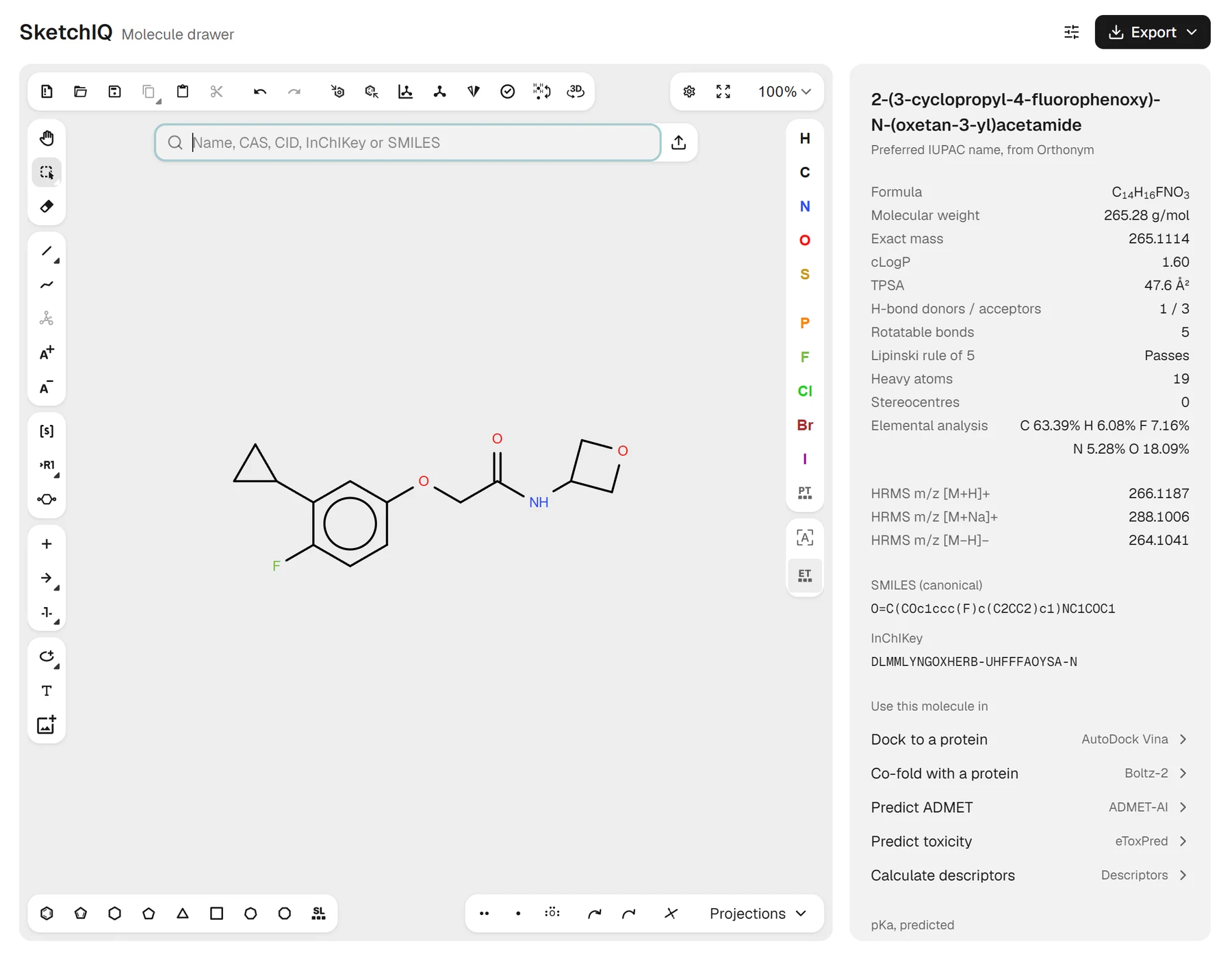
Names work in both directions, which used to be the main reason to pay for ChemDraw Professional. A systematic name that PubChem doesn't hold is read by OPSIN, the open-source name-to-structure parser, so a new analog's name still draws the compound. For a structure PubChem has never seen, Generate name asks Orthonym, an open-source IUPAC namer.
Every generated name is checked before you see it: OPSIN turns it back into a structure, and that structure has to match the drawing. On 300 drug-like PubChem compounds and 50 new analogs of known drugs, 99% got a checked name and none read back to a different structure. Orthonym's names can still differ from the ones ChemDraw writes.
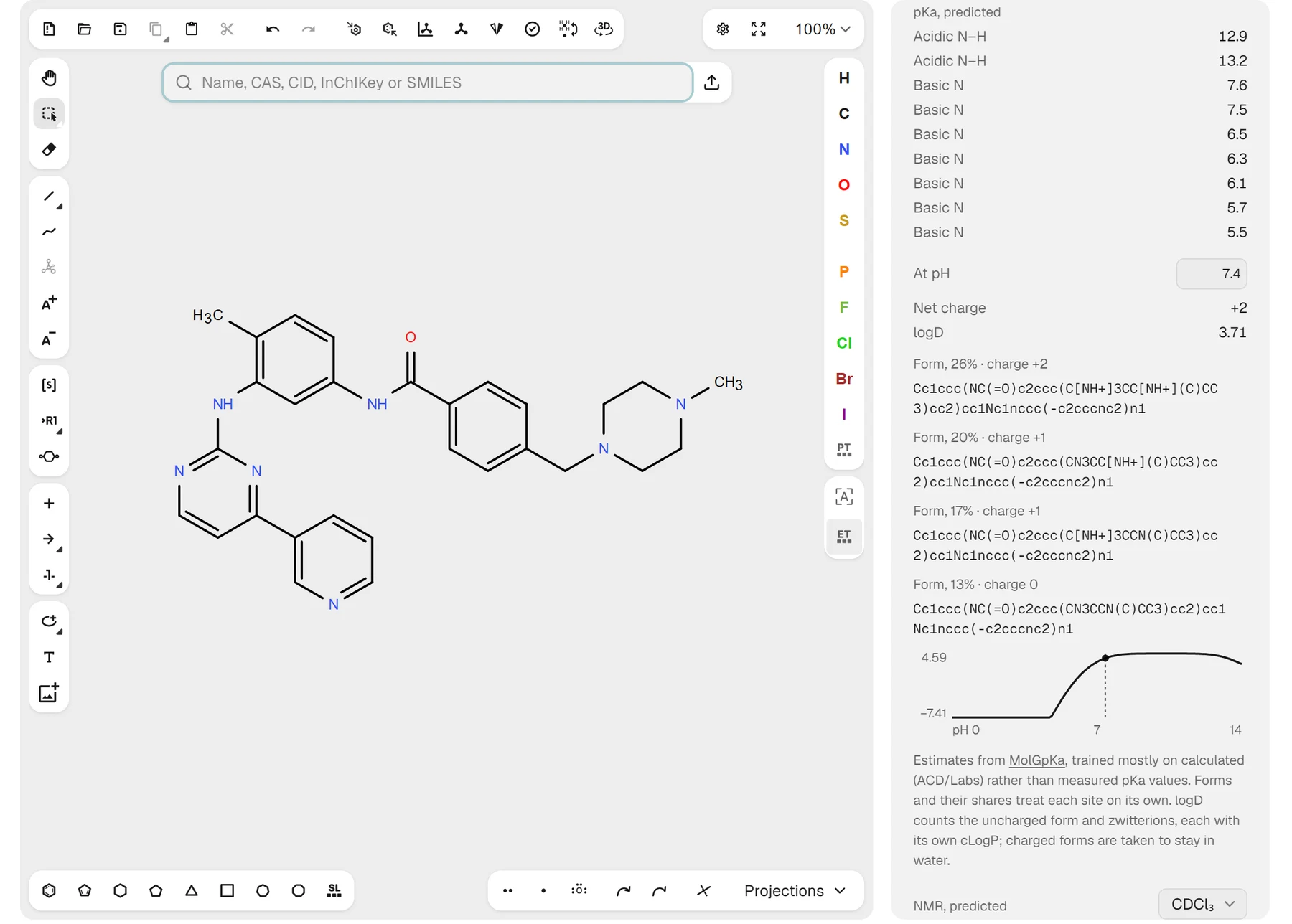
Click Predict pKa once and SketchIQ lists every acidic and basic site with a pKa from MolGpKa, a graph neural network that runs in your browser after a 12 MB download. Set a pH and the panel shows the net charge, logD and the forms the molecule takes. For imatinib at pH 7.4 that is a net charge of +2 and a logD of 3.71. The values are estimates, since MolGpKa learned mostly from calculated rather than measured pKa values.
Predict NMR gives ¹H and ¹³C shifts from MagNET, a neural network trained on quantum chemical calculations, and writes them next to their atoms on the canvas. On 80 molecules from NMRShiftDB2, the predictions were off by 2.1 ppm for ¹³C and 0.13 ppm for ¹H on average. It is the one paid feature: each prediction costs 10 credits and needs a ProteinIQ account. It gives shifts only, with no coupling constants or multiplets.
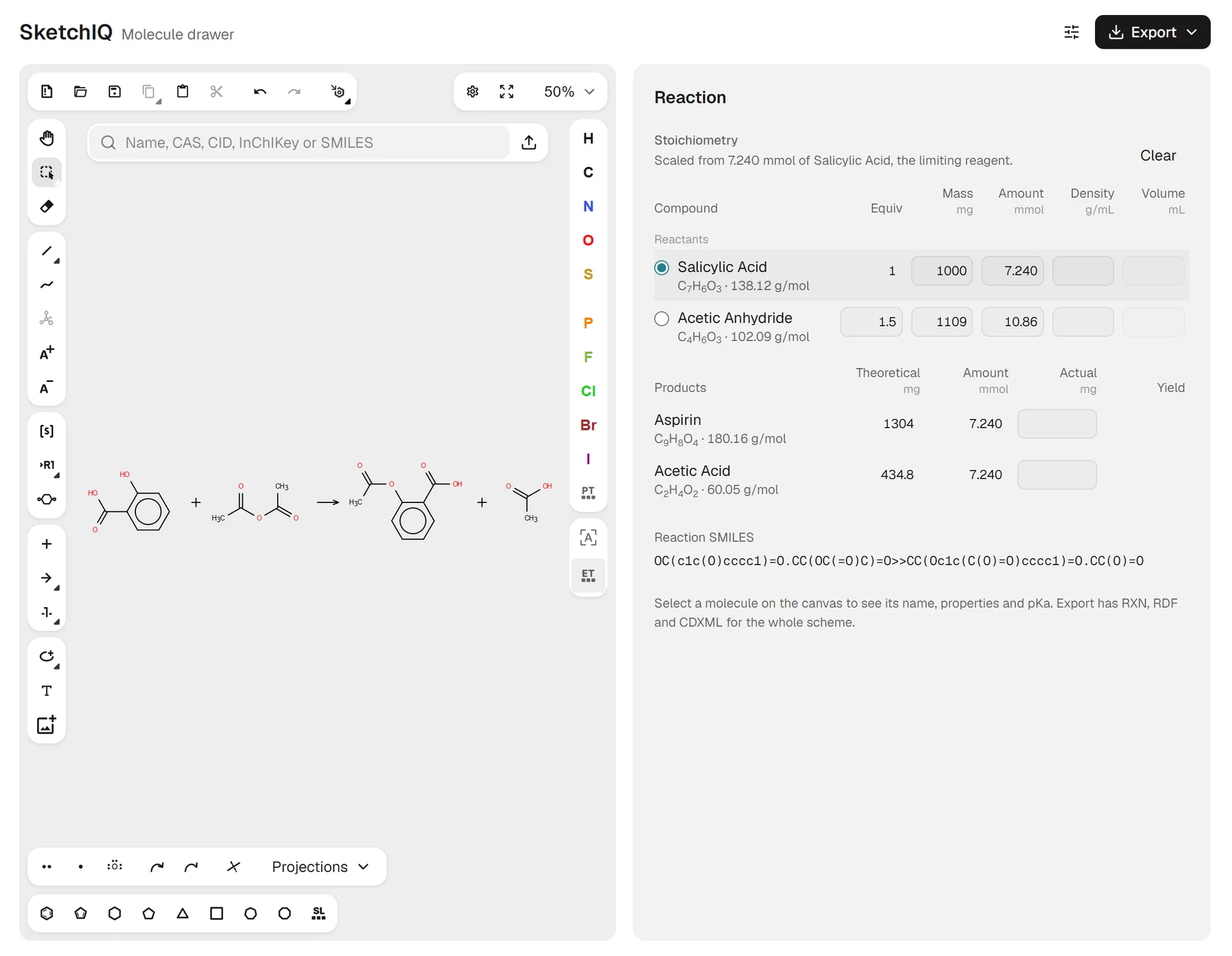
Draw starting materials, an arrow and products, and the panel switches to the reaction. A stoichiometry table works like a lab notebook: type the mass of the limiting reagent and the equivalents of the rest, and it gives every amount and the theoretical yield. Multi-step schemes are read step by step, each with its own conditions and table.
The rest of the toolbox covers the everyday ChemDraw jobs. You can type groups such as OTBS or CO2Et onto an atom, and pick from a library of about 350 reagents, protecting groups, solvents and scaffolds. There are lone pairs, curved and fishhook arrows for mechanisms, Newman and Fischer templates, R/S labels as you draw, and a tool that breaks bonds to show each mass fragment's m/z. The editor underneath is Ketcher, covered next.
Getting files in and out is where SketchIQ earns its place on a ChemDraw list. It opens CDX, CDXML, MOL, SDF, SMILES, InChI, CML, KET and RXN files. It exports ChemDraw CDX and CDXML, MOL and SDF in V2000 and V3000, SMILES, CXSMILES, InChI, RXN, RDF for whole schemes, SVG and PNG, and CDXML keeps a multi-step scheme as drawn.
No other tool here offers what comes next. A "Use this molecule in" list sends the structure straight to AutoDock Vina to dock it into a protein, Boltz-2 to co-fold it with one, ADMET-AI and eToxPred for absorption and toxicity predictions, or molecular descriptors for a longer property table.
The gaps that remain are narrower than they were. Copying to Word or PowerPoint gives you a PNG image rather than an editable drawing, and there are no journal style presets. SketchIQ can't read a structure from an image, and its fragmentation tool breaks the bonds you choose rather than predicting a mass spectrum.
SketchIQ price: Free. Drawing, search, naming, pKa and export need no account. NMR prediction costs 10 credits per structure, and running docking or ADMET tools needs a free ProteinIQ account and uses credits.
Best free ChemDraw alternative for an open-source editor you can run yourself
Ketcher (Web)
Ketcher pros:
- Open source under the Apache 2.0 license, so you can host or embed it
- Reads and writes ChemDraw CDX and CDXML entirely in the browser
Ketcher cons:
- No search by name, no database link and only basic property calculations
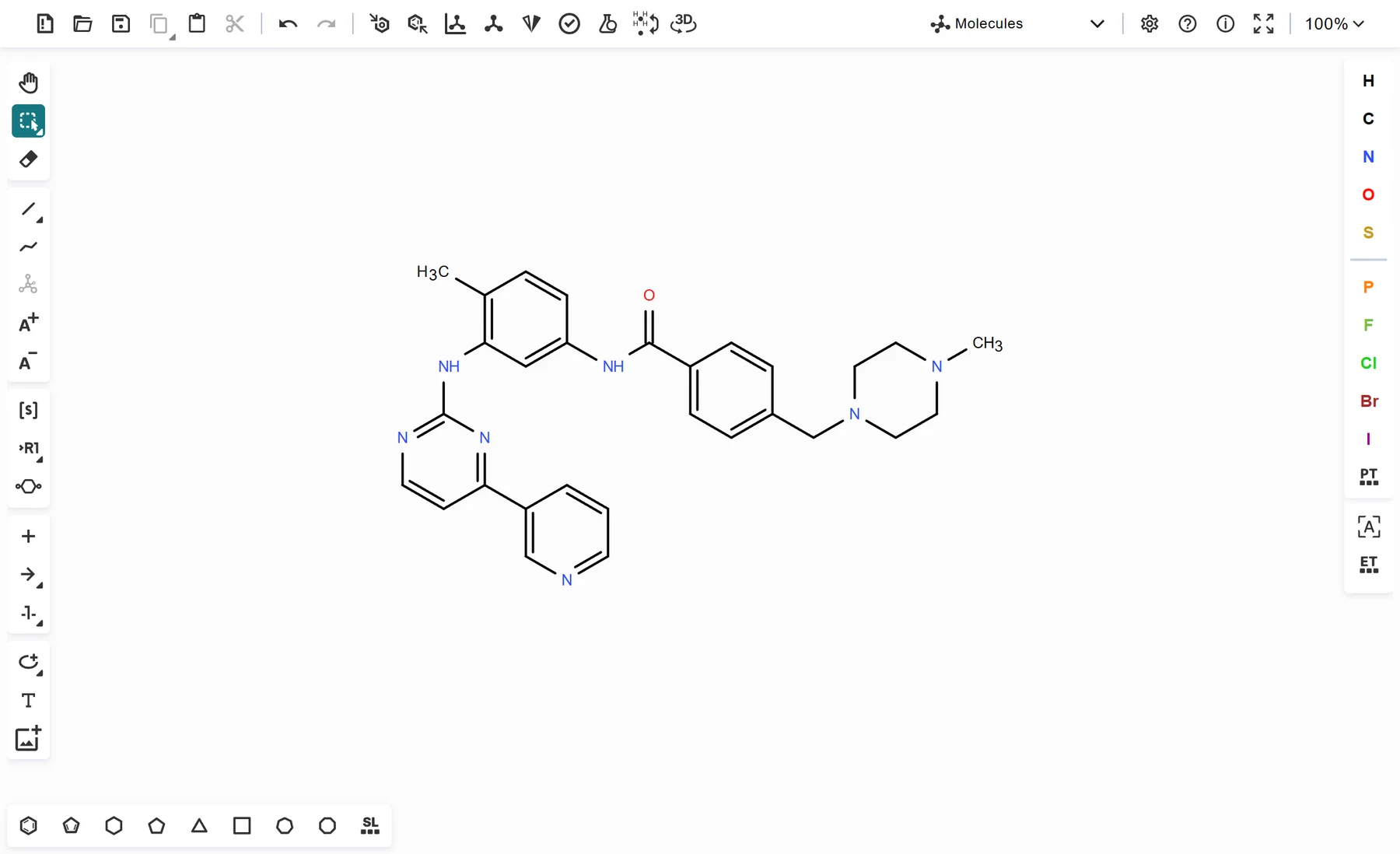
Ketcher is EPAM's open-source structure editor, released under the Apache 2.0 license and still actively developed; version 3.18.0 came out in September 2026.[7] You can try it in the public demo on EPAM's site, but its real audience is people who want to put an editor inside something else: an electronic lab notebook, a compound registration system or a web app. (SketchIQ is one of those.)
In standalone mode it runs entirely in the browser, with EPAM's Indigo toolkit compiled to WebAssembly, so structures never leave your machine. It reads and writes MOL and SDF in both versions, RXN, KET, SMILES, InChI, CML, and ChemDraw CDX and CDXML, and exports PNG and SVG. A macromolecules mode handles peptides and RNA from a library of more than 850 monomers, which is more biopolymer support than most free tools offer.[6]
What you get is the editor and nothing around it. There's no search by name or CAS number, no PubChem link and no property panel beyond a basic calculated-values dialog, so for one-off drawing the demo feels bare. If you want a self-hosted editor, though, nothing else on this list comes close.
Ketcher price: Free and open source under the Apache 2.0 license.
Best free ChemDraw alternative for a quick structure with no account
PubChem Sketcher (Web)
PubChem Sketcher pros:
- Loads instantly and needs no account
- Exports ChemDraw CDX and ChemDraw XML along with Molfile, CML and images
PubChem Sketcher cons:
- Dated interface and no property calculations
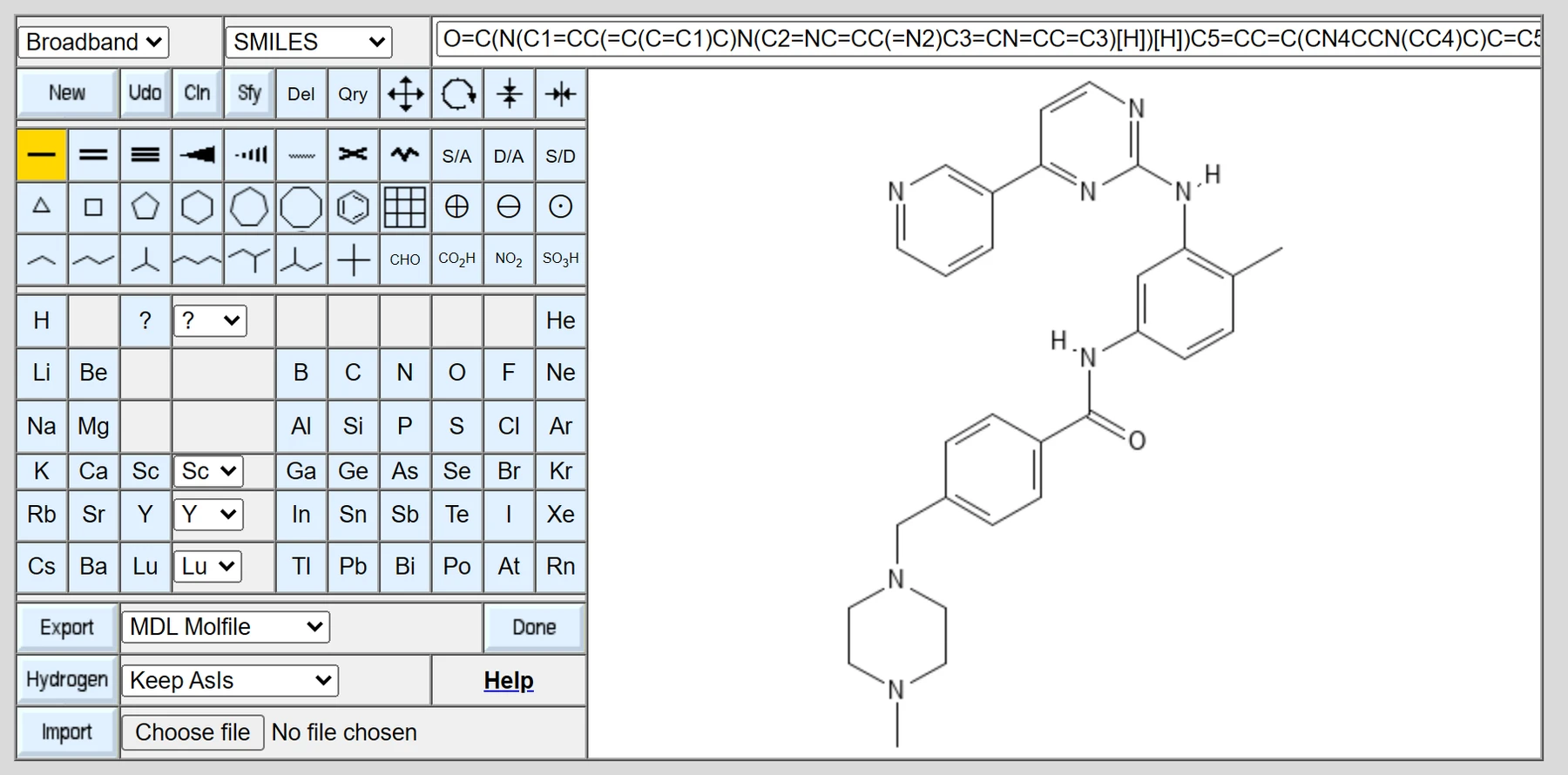
PubChem Sketcher is NCBI's free web sketcher for PubChem. It still carries the title PubChem Sketcher V2.4 and looks every bit its age, but it loads instantly, needs no account and does the basics well.[8]
You can start from a pasted SMILES string or draw from scratch, and read off the SMILES, standard InChI, InChIKey and formula as you go. The export list is surprisingly long: MDL Molfile, CML, Marvin MRV, ChemDraw CDX and ChemDraw XML, plus PNG, SVG, EPS and PDF images. For converting a SMILES string into a ChemDraw file in under a minute, it's hard to beat.
It won't calculate properties or remember anything between visits, and the interface takes some getting used to. Think of it as a utility, not a workspace.
PubChem Sketcher price: Free.
Best free ChemDraw alternative for 2D drawing with a 3D model
MolView (Web)
MolView pros:
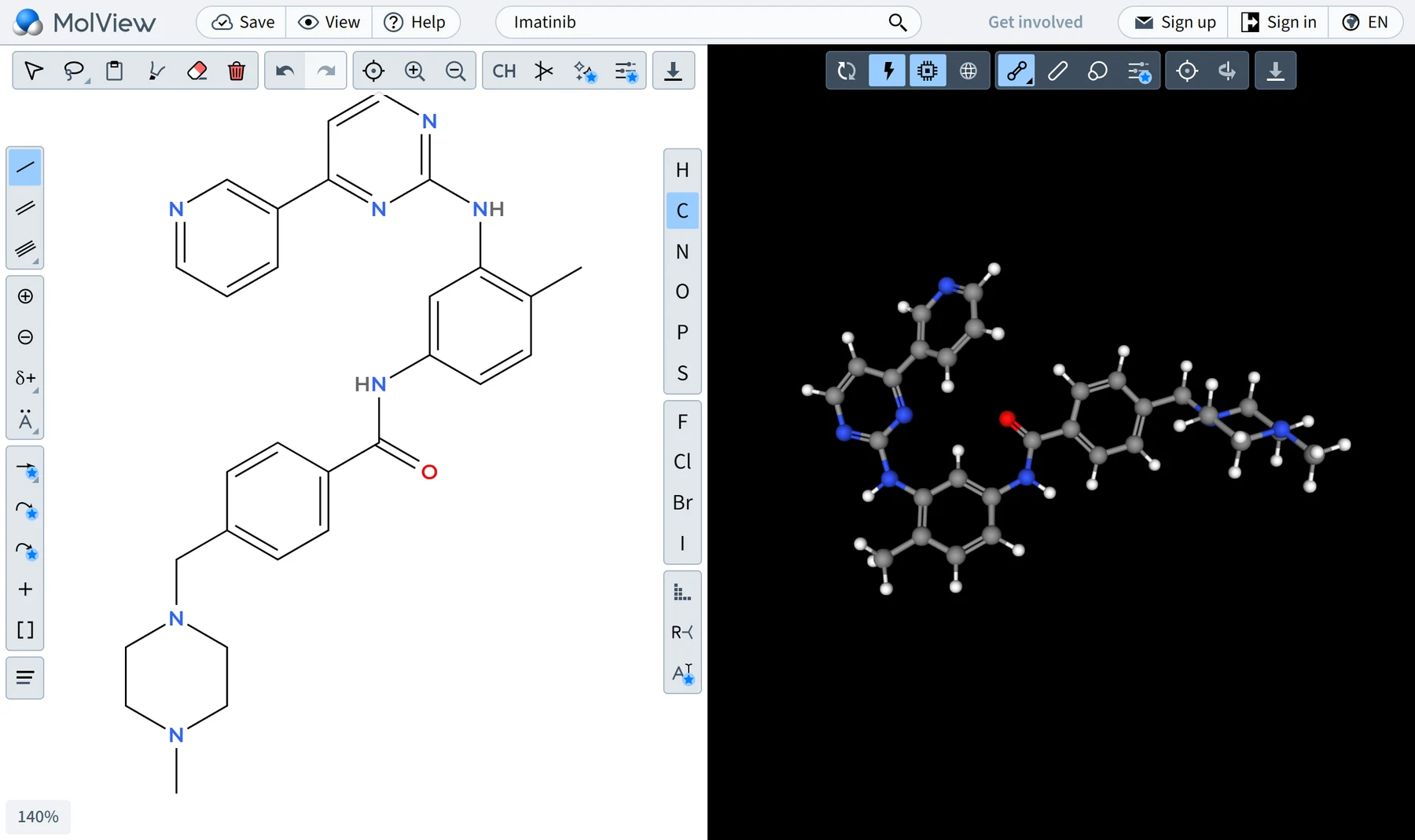
- A 2D sketcher and a 3D model of the same molecule side by side
- Free to search, sketch and view with no sign-up
MolView cons:
- The free plan can't save, and it doesn't read or write ChemDraw files
MolView splits the screen between a 2D sketcher and a 3D model of the same molecule, which makes it a favorite with students and teachers. Its base features, searching, sketching and viewing small molecules, are free with no sign-up.[9]
The catch is that free diagrams can't be saved. A Student plan at $9 a year adds saving and reaction mechanisms, and an Academic plan at $49 a year unlocks SVG export, data files and custom styling for non-commercial use. Commercial use needs a paid commercial plan. MolView is also in the middle of a rewrite: its developers describe the old app as deprecated and getting only urgent fixes while a new version is built.
It doesn't read or write ChemDraw files, so it's a learning and viewing tool more than a ChemDraw replacement.
MolView price: Free to sketch and view; Student plan $9 a year, Academic plan $49 a year.
Best cheap ChemDraw alternative for a full desktop replacement
ChemDoodle (Windows, macOS, Linux)
ChemDoodle pros:
- IUPAC naming and ¹H and ¹³C NMR simulation, the ChemDraw Professional features people miss most
- Opens ChemDraw CDX and CDXML with reactions, arrows and shapes intact
ChemDoodle cons:
- Not free: $199 a year or $999 for a lifetime license
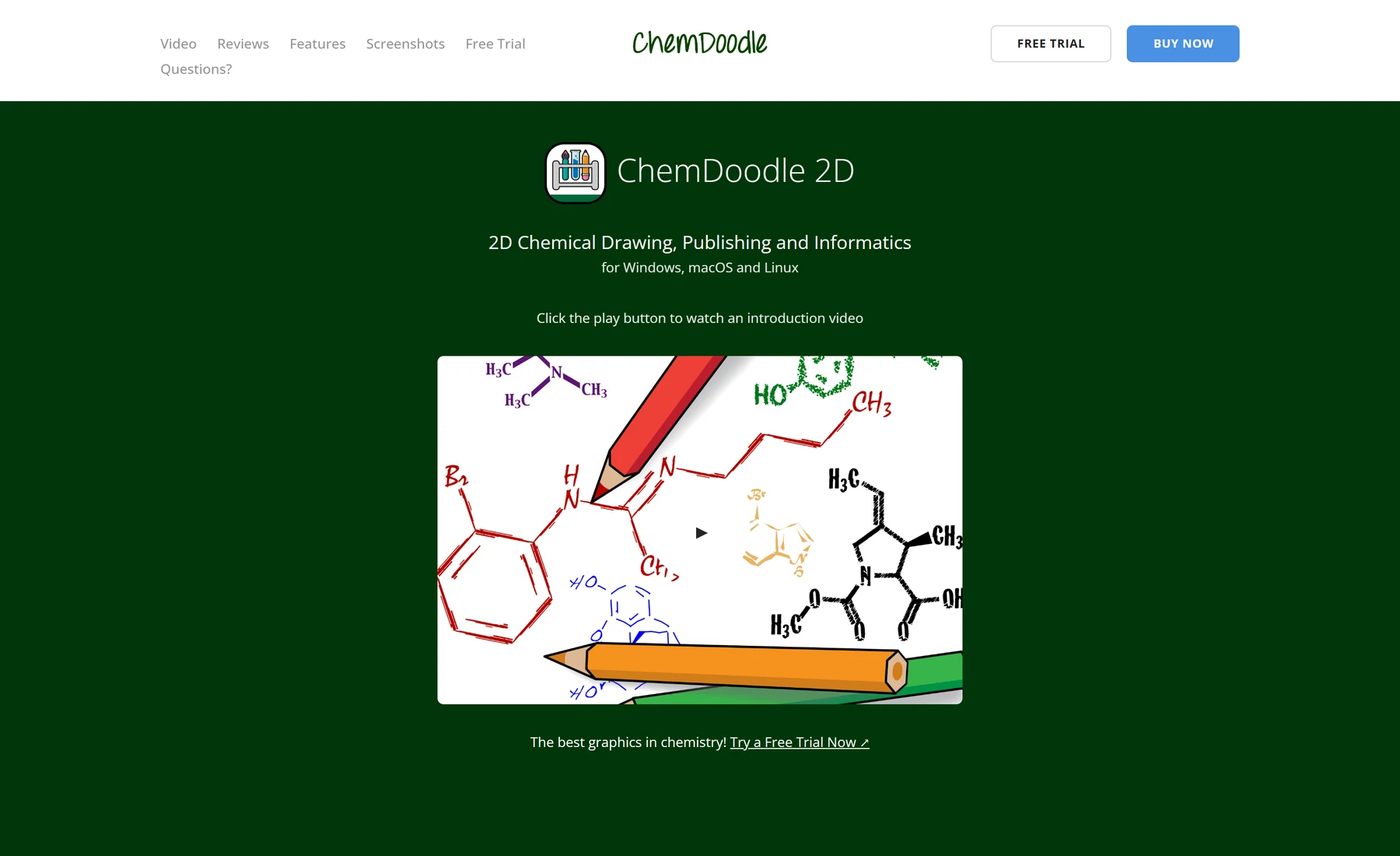
ChemDoodle isn't free, but if you need a full desktop drawing program and ChemDraw's price is the problem, it is the obvious answer. The current version, ChemDoodle 2D 12.12.1, runs natively on both Intel and Apple Silicon Macs.[11]
It is also the only desktop app on this list that covers the two ChemDraw Professional features people miss most. ChemDoodle generates IUPAC names that update as you draw, parses names back into structures and simulates ¹H and ¹³C NMR spectra. It reads more than 30 file formats from other chemistry software, including ChemDraw CDX and CDXML, with reactions, arrows and shapes intact.[11]
The pricing is refreshingly simple. One license covers ChemDoodle 2D, ChemDoodle 3D and the mobile apps for one named user on up to two computers, at $29 a month, $199 a year or $999 for a lifetime license.[10] There's no discount for individual students or academics; site licenses can get an academic discount by quote. A 14-day trial lets you check that it opens your ChemDraw files properly before paying.
iChemLabs also publishes ChemDoodle Web Components, an open-source JavaScript library with a free online 2D sketcher demo, if you only need something occasionally.
ChemDoodle price: $29 a month, $199 a year or $999 for a lifetime license.
Best free ChemDraw alternative for building 3D models
Avogadro (Windows, macOS, Linux)
Avogadro pros:
- Free and open source on Windows, macOS and Linux
- Builds 3D models and cleans up their geometry with a force field
Avogadro cons:
- Doesn't make flat, journal-style 2D drawings
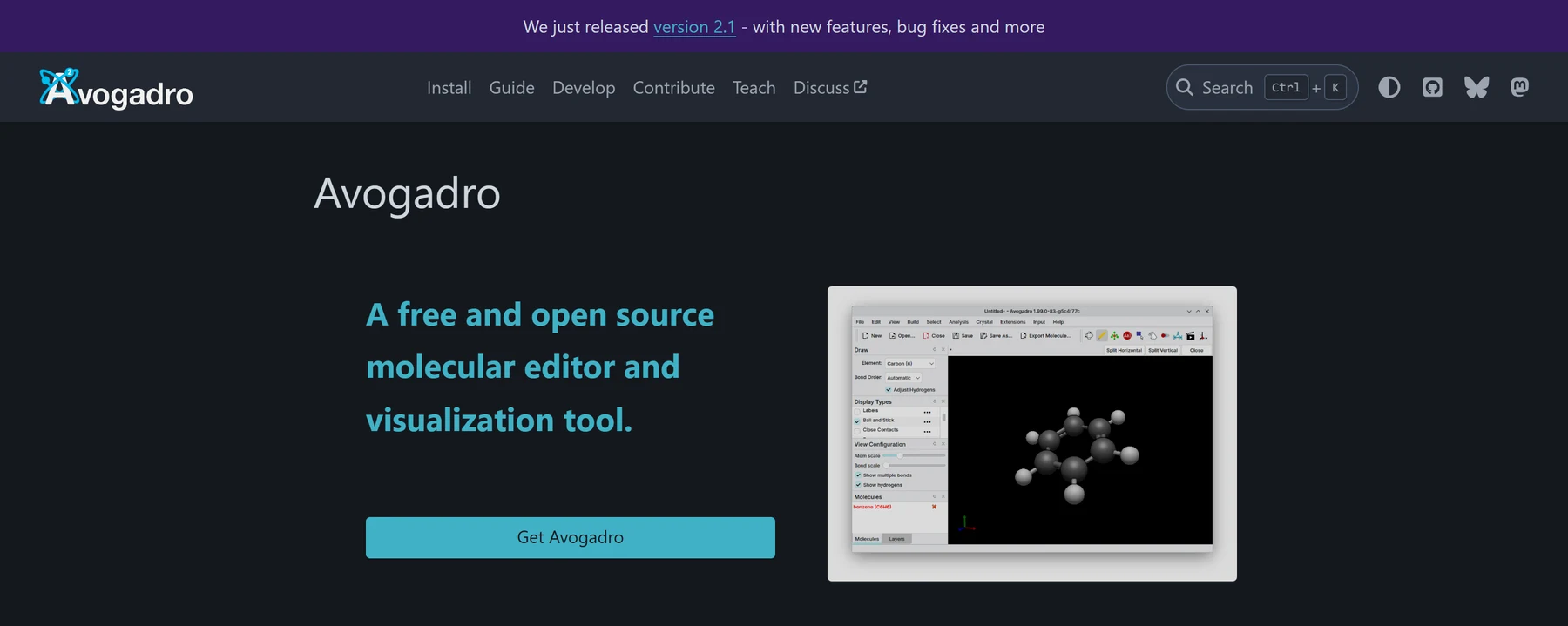
Avogadro solves a different problem from everything else here. It's a free, open-source 3D molecular editor and viewer, released under the BSD 3-clause license, and the current version is 2.1.[12]
You use it to build a molecule in three dimensions, tidy its geometry with a force field, look at it from every angle and save coordinates for a computational chemistry program. It won't produce the flat, journal-style drawings ChemDraw makes, so pair it with one of the 2D tools above rather than treating it as a replacement.
Avogadro price: Free and open source.
Is ChemSketch still free?
No. ACD/Labs discontinued ChemSketch Freeware after Revvity Signals acquired the company in January 2026. People who already have it installed may keep using it under the license terms they accepted, but it can no longer be downloaded, and the page that offered it now points to a ChemDraw trial.[3]
Marvin went the same way for individuals. Free individual academic licenses stopped working on July 31, 2026. Certara now sells Marvin Cloud, a browser-based subscription with a 14-day trial and no published price, and offers academic discounts to institutions.[4] Marvin JS gets no new features, only long-term support until December 31, 2027, and Chemicalize will be retired on June 30, 2027.[5]
Other ChemDraw alternatives to consider
BKChem, the old open-source Python editor, had its last official release in 2010. A Python 3 port by a new maintainer, bkchem-py3, reached version 1.0.4 in April 2026 under the GPLv2 license; it's worth a look if you want a simple free desktop editor on Linux.[13]
Marvin Cloud is a reasonable choice if your group already works in Chemaxon tools, but without a published price or a free tier it didn't fit a list of free alternatives.
Which ChemDraw alternative should you choose?
If your work depends on ChemDraw files and editable drawings in Office documents, check for a site license first and pay for ChemDraw if there isn't one. If you want a full desktop program with naming and NMR prediction for a fraction of the price, buy ChemDoodle.
For everyone else, a browser is enough. SketchIQ covers most of what people pay ChemDraw for, from naming new compounds to stoichiometry tables, and hands the structure to docking or ADMET prediction when you're done. Use PubChem Sketcher to turn a SMILES string into a ChemDraw file in a minute, Ketcher if you want to host an editor yourself, and MolView to see a molecule in 3D.