How to make publication-quality chemical structure images
ACS 1996 settings, file formats and sizing for papers and slides

Matic Broz, PhD15 min
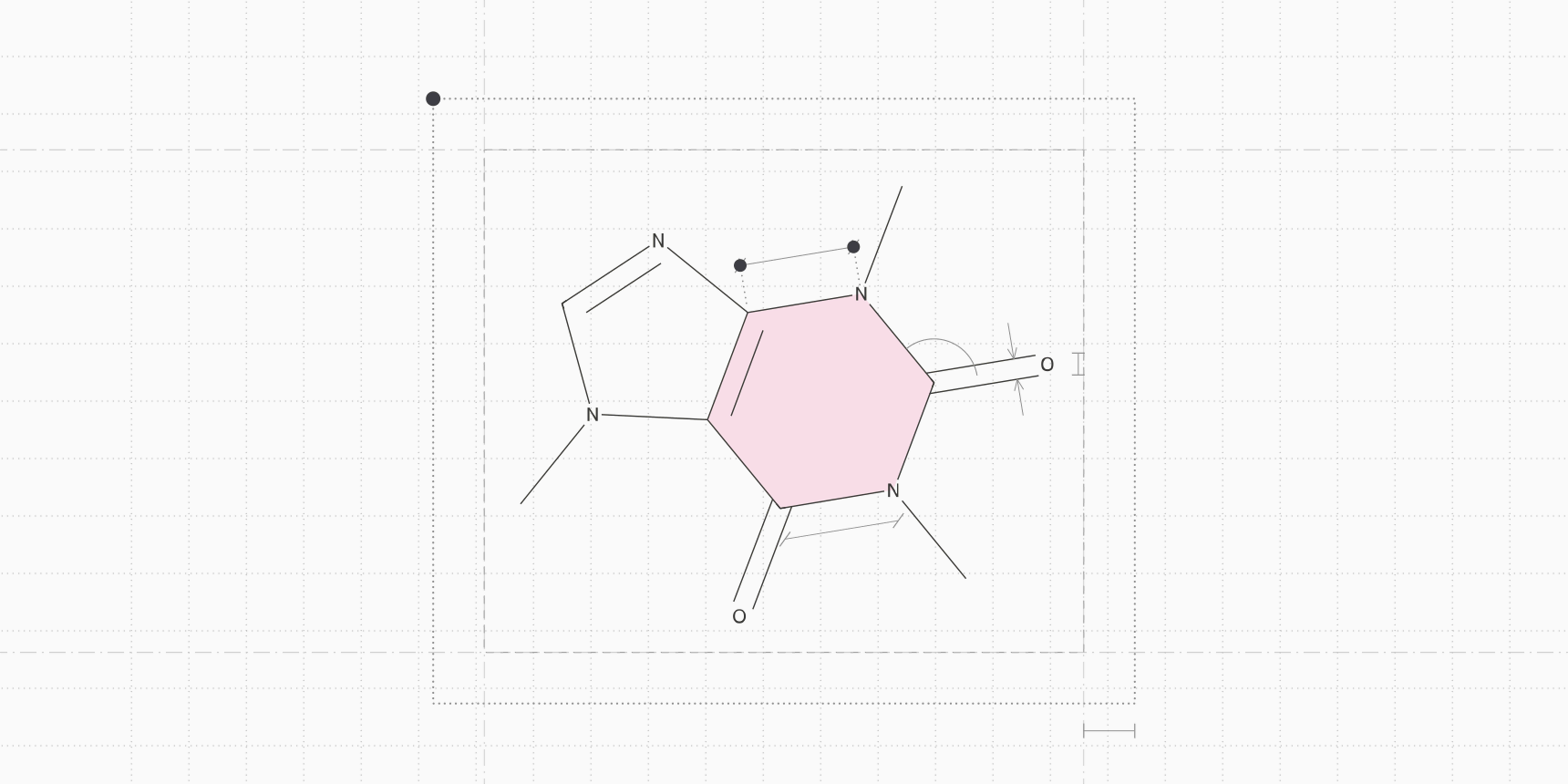
To make chemical structure images for a paper, draw every structure in a figure with the same fixed bond length, line width and label font, at the size it will print, then export a vector file or a bitmap with enough pixels for that size.
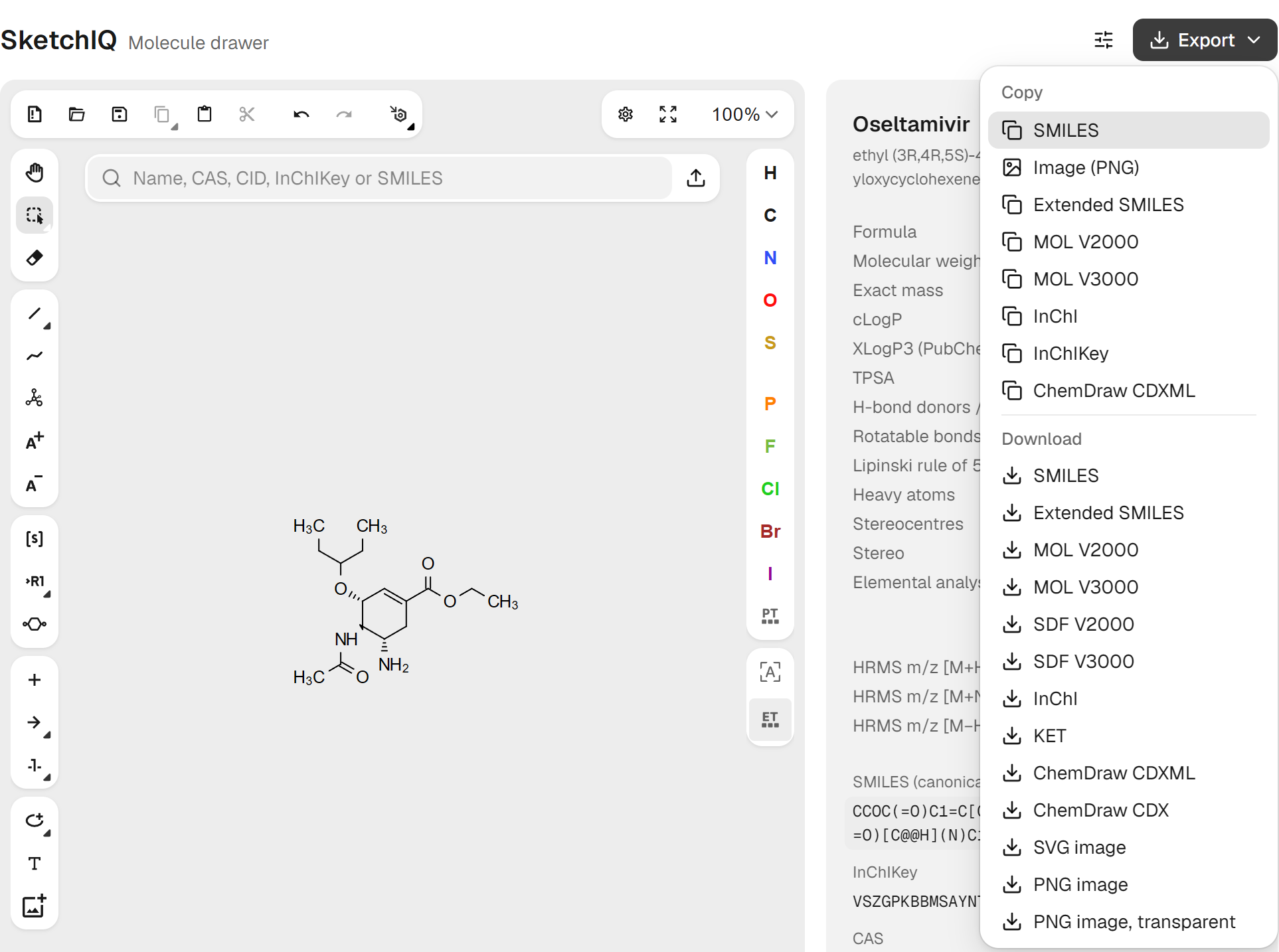
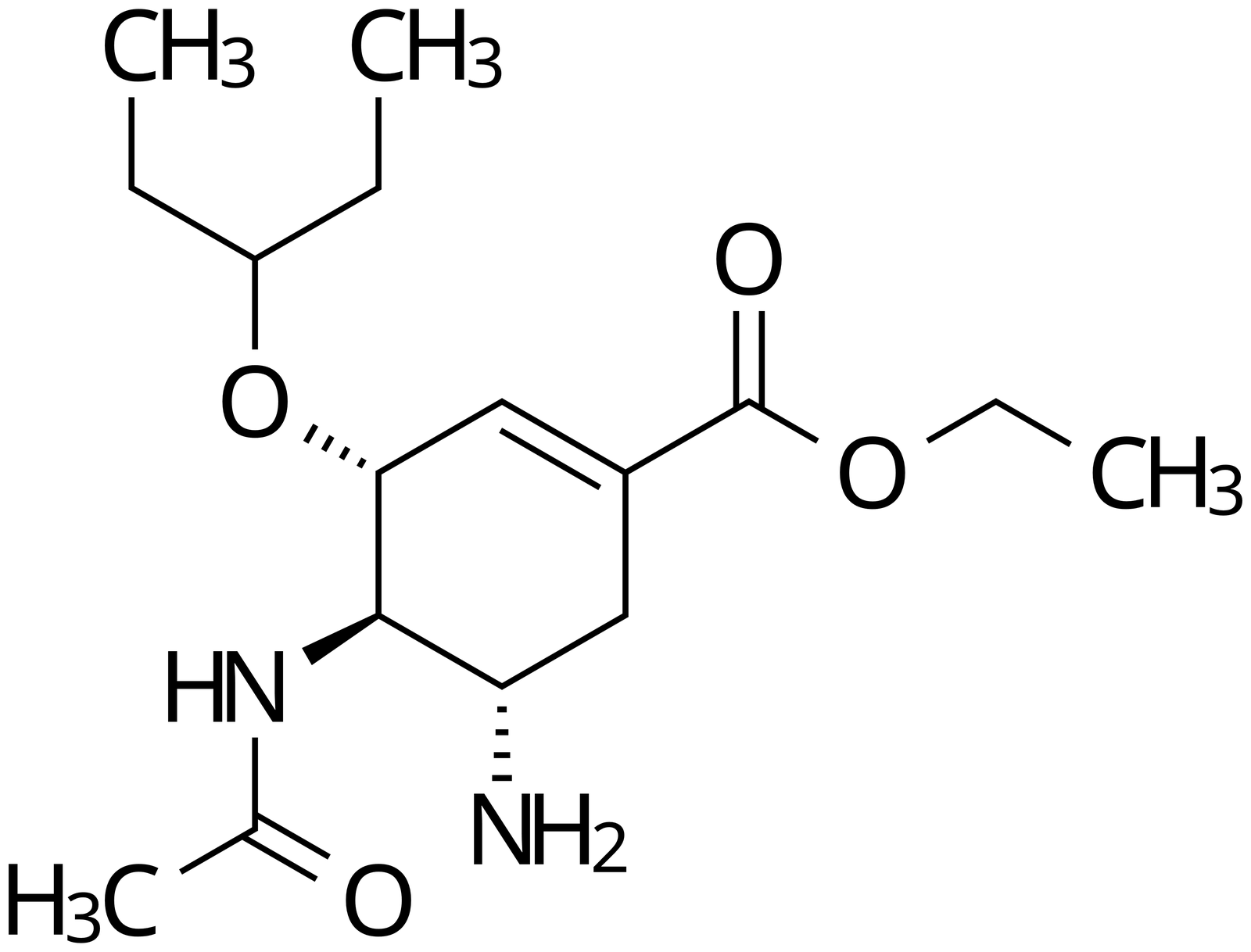
Most chemists use ChemDraw's ACS Document 1996 style: 14.4 pt bonds, 0.6 pt lines and 10 pt labels. In SketchIQ, the free chemical structure drawer by ProteinIQ, one button in Settings applies the same values, and Export saves the drawing as SVG or PNG.
| Setting | ACS Document 1996 | What it controls |
|---|---|---|
| Fixed bond length | 14.4 pt (0.508 cm) | Every single bond drawn at this length |
| Line width | 0.6 pt (0.021 cm) | Thickness of plain bonds |
| Bold width | 2 pt (0.071 cm) | Width of wedge and bold bonds at their wide end |
| Hash spacing | 2.5 pt (0.088 cm) | Gap between the stripes of a hashed bond |
| Margin width | 1.6 pt (0.056 cm) | Space left between a bond and an atom label |
| Bond spacing | 18% of bond length | Gap between the two lines of a double bond |
| Chain angle | 120° | Zigzag angle of carbon chains |
| Atom labels | 10 pt | Size of element symbols and captions |
Revvity, which makes ChemDraw, describes the style as set up for the two-column format of ACS journals.[1] ACS itself never names it. Its author guidelines ask only that structures be drawn "with the use of a drawing program such as ChemDraw", with lettering no smaller than 4.5 pt and lines no thinner than 0.5 pt at final size.[2] The style is a convention that fits those limits, not a rule.
Why ACS Document 1996 style looks right
The style works because of its proportions. A bond is 24 times longer than it is thick, a label is about two thirds of a bond length tall, and a double bond's second line sits 18% of a bond length away from the first. Scale the whole drawing up or down and those proportions hold, which is why a structure drawn this way still looks like itself on a poster.
The absolute size matters too, and the line width sets the floor. ACS asks for lines of at least 0.5 pt, so a drawing made with 0.6 pt lines can shrink to of its drawn size before its bonds fall below the limit.[2] Labels are not the problem: at 83% they are still 8.3 pt, well above the 4.5 pt minimum. If a figure only fits the column at 70%, rearrange it rather than shrinking it.
What journals ask for
Journals set the final size, the file types and, for bitmaps, the resolution. Some publish their own ChemDraw style as well. We read the author guidelines of five publishers on November 1, 2026.
| Publisher | Figure files | Bitmap resolution | Single and double column | Smallest text and lines | Structure style |
|---|---|---|---|---|---|
| ACS | TIFF, PDF or EPS | 1200 dpi line art, 600 dpi greyscale, 300 dpi colour | Up to 3.33 in (8.5 cm); 4.17 to 7 in (10.6 to 17.8 cm) | 4.5 pt text, 0.5 pt lines | Any program such as ChemDraw |
| RSC (Chemical Science) | TIFF; EPS and PDF are converted to TIFF | 600 dpi or more | 8.3 cm; 17.1 cm | 7 pt labels | 12.2 pt bonds, 0.5 pt lines, 7 pt Arial |
| Elsevier | EPS for vector art, TIFF for bitmaps, Office files | 1000 dpi line art (1200 dpi for very fine lines), 500 dpi combination, 300 dpi photos | 90 mm; 190 mm | 7 pt text (6 pt subscripts), 0.10 to 1.5 pt lines | None specified |
| Wiley; Angewandte Chemie | PDF preferred for line art; TIFF, JPG or PNG for images | 600 dpi line art, 300 dpi images | 8.4 cm; 17.8 cm (Angewandte) | Arial or similar, 1.5 to 2 mm tall (Angewandte) | Journal ChemDraw template, structures supplied as CDX (Angewandte) |
| Nature | Vector AI, EPS or PDF; line art must not be rasterized | 300 dpi minimum for photos | 89 mm; 183 mm | 5 to 7 pt text, 0.25 to 1 pt lines | 0.381 cm bonds, 0.021 cm lines, 6 pt labels, supplied as CDX |
Sources: ACS (2026), RSC (2026), Elsevier (2026), Wiley (2026), Nature (2026).[2][3][5][6][7][8][9][10][11]
One drawing can serve most of them. Scaled to 85%, an ACS-style structure has RSC's 12.2 pt bonds and 0.51 pt lines, though its labels stay at 8.5 pt rather than 7 pt.[5] Scaled to 75%, it has Nature's 0.381 cm bonds, 0.45 pt lines and 7.5 pt labels, inside Nature's limits.[11] At full size it already meets Elsevier's 7 pt text and 0.10 to 1.5 pt line range.[7]
Table of contents graphics have their own boxes. ACS wants the graphic to fit 3.25 × 1.75 in (8.25 × 4.45 cm) at actual size, with 8 pt sans serif text and nothing below 6 pt.[4] RSC allows up to 8 × 4 cm.[5] A 10 pt ACS-style drawing is often too large for these, so the TOC graphic is the one place where shrinking to the line-width floor is normal.
SVG, PDF, EPS, PNG or TIFF
A structure is line art: thin black strokes and letters on white. Vector formats (SVG, PDF, EPS) store it as lines and text, so it prints sharp at any size and the file stays small. Bitmap formats (PNG, TIFF, JPEG) store pixels, so the image is only as sharp as its pixel count at the printed size. That is why journals ask 1000 to 1200 dpi for line art but only 300 dpi for photographs.[2][6]
To check whether a bitmap is large enough, multiply its printed width by the required resolution:
A full-width ACS single-column figure at 1200 dpi needs pixels across. An RSC single-column figure, 8.3 cm or 3.27 in wide, at 600 dpi needs about 1960. A screenshot of a structure on a laptop screen is usually 300 to 600 pixels wide, and enlarging it adds no detail.
None of the five publishers above lists SVG as a figure format. A vector editor such as Inkscape or Adobe Illustrator opens an SVG and saves it as PDF or EPS, and a finished figure can be exported to TIFF from the same program. Avoid JPEG for structures: its compression leaves grey halos around thin lines and letters.
How to make ACS-style structure images in SketchIQ
SketchIQ runs in the browser and is built on the open-source Ketcher editor, whose settings dialog includes an ACS preset.[12]
- Open SketchIQ. Draw the structure, or type a name, SMILES, CAS number or PubChem CID into the search box to load it from PubChem.
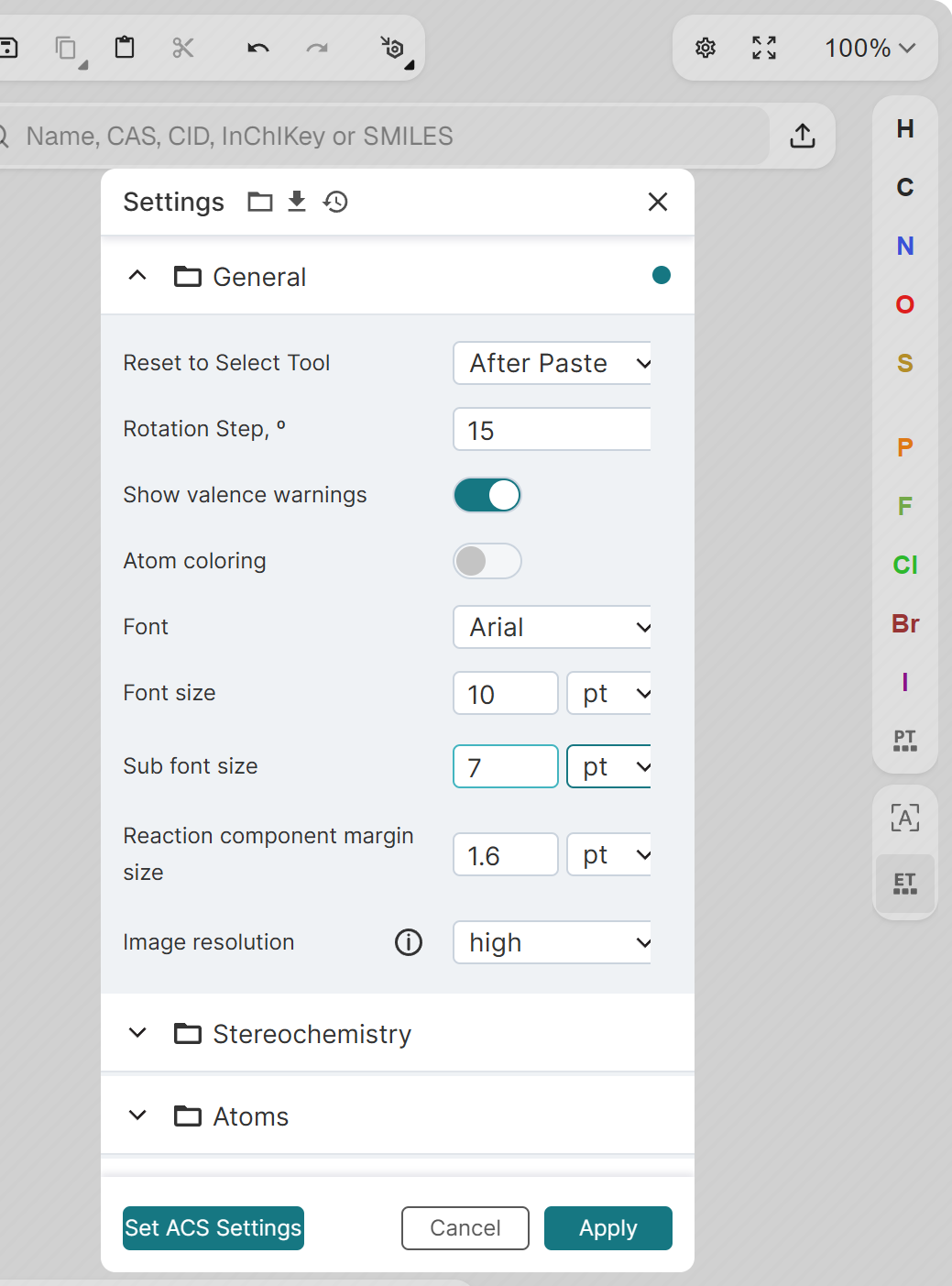
- Click Settings, the gear icon next to the zoom menu above the canvas. The sliders icon next to Export is a different menu.
- Click Set ACS Settings.
- Change Sub font size to
7pt. The preset sets it to 10 pt, which draws the 3 in CH₃ as tall as the C. - Open Stereochemistry and turn off Show the Stereo flags, or exported images may carry a "Chiral" label.
- Click Apply, then OK on the notice about applying the layout.
- Click Export, then SVG image for a vector file or PNG image for a bitmap. PNG image, transparent leaves out the white background.
The preset sets 10 pt labels, 14.4 pt bonds, 0.6 pt lines, 2 pt wedges, 2.5 pt hash spacing and 18% double-bond spacing, the same values as the table above. It also turns atom colouring off, so heteroatoms print in black, and sets Image resolution to high. Settings are saved in your browser and apply to every structure you draw afterwards.
The Font field reads Arial, but exported images draw their labels in Noto Sans, the font built into the drawer's image renderer. ACS only says that Helvetica or Arial "work well", so this rarely matters.[2] In the SVG every letter is stored as an outline rather than text, so there is no font for a submission system to miss.
The step people trip over is the canvas itself. At 100% zoom SketchIQ now shows the structure at ACS size, so it looks much smaller than before. Nothing is lost; zoom in to edit, and the exports keep their size. For a hand-drawn structure, Clean Up (Ctrl+Shift+L) evens out bond lengths and angles before you export.
What the exported files contain
We loaded caffeine from PubChem, applied the preset and exported it. The SVG measured 718 × 511 pixels, with each bond about 120 pixels long and each line 5 pixels wide. That is 600 pixels per inch at ACS size: 14.4 pt is 0.2 in, and . The ratio of line width to bond length was 0.042, exactly .
So the SVG has ACS proportions but not ACS dimensions. Most programs treat an SVG pixel as 1/96 inch, the web standard, so the file arrives about six times larger than ACS size. Divide the pixel width by 600 to get its ACS width in inches: caffeine is in, or 3.0 cm. Set that width and every bond measures 0.508 cm.
PNG image draws that SVG at four times its pixel size, so caffeine comes out at 2,872 × 2,044 pixels. At ACS size that is 2,400 pixels per inch, twice the 1,200 dpi ACS asks for black-and-white line art.[2] Divide a PNG's pixel width by 2,400 to get its ACS width. If atoms are selected, the PNG contains only the selection.
Copy a structure into Word or PowerPoint
Under Copy, Image (PNG) puts the same high-resolution PNG on the clipboard, on a white background, ready to paste. If atoms are selected, only the selection is copied. SVG export always takes the whole canvas.
Show R/S and E/Z on the canvas, under the sliders icon next to Export, labels stereocentres while you draw, but exports leave those labels out. Add descriptors as text in your figure if you need them. For how the wedges and hashes themselves should look, see stereochemistry wedges and dashes.
How to keep every structure in a figure the same size
The most common flaw in chemistry figures is not resolution. It is four structures pasted into one slide and each dragged to fit its box, so one has 0.4 cm bonds and the next 0.6 cm, with line widths and labels to match. Readers notice even when they cannot say why.
Three habits prevent it. Draw every structure with the same settings. Place each one at the same scale, using the width rule above, rather than fitting it to a box. If the assembled figure is too wide, scale the whole figure once, or move structures into a second row; do not shrink the one long molecule that does not fit.
The simplest route in SketchIQ is to draw all the structures of a scheme on one canvas and export them together. They share one bond length by construction, and the export keeps their relative positions. Check the final scale against the 83% floor before you submit.
Structures for slides and posters
ACS size is designed for a printed page read at arm's length. On a projected slide, 10 pt labels and 0.5 cm bonds are too small to read from the back of the room, so scale every structure up by the same factor. At 200%, labels are 20 pt and lines 1.2 pt, and the proportions are unchanged. Scaling never changes the proportions, so a slide deck and a paper can share the same drawings.
The exported bonds and labels are black. On a dark slide background, place structures on a light panel, or use the transparent PNG only on light backgrounds where black reads well.
Common mistakes
| Problem | Symptom | Fix |
|---|---|---|
| Structures resized one by one | Bond lengths and label sizes differ within a figure | Place every structure at the same scale, or export them from one canvas |
| A screen capture used as the figure | Jagged bonds and soft letters in the proof | Export SVG or PNG from the drawer instead |
| An ACS-style drawing shrunk below 83% | Lines thinner than ACS's 0.5 pt minimum | Rearrange the figure rather than reducing it |
| JPEG used for line art | Grey halos around bonds and atom labels | Use TIFF, PNG or a vector format |
| SVG uploaded to a submission system | The file is rejected or converted badly | Save it as PDF or EPS in a vector editor, or export TIFF |
| A placed SVG left at its default size | Structures six times larger than ACS size, and different from one another | Set each width to the pixel width divided by 600 |
| Mixed fonts | Sans serif atom labels next to Times captions | Use one sans serif font, such as Arial or Helvetica, for all added text |
| Stereo flags left on | A stray "Chiral" or "ABS" label beside the structure | Turn off Show the Stereo flags under Stereochemistry in Settings |
After the figure
The image is only half of what a paper needs. Coauthors and some journals want the structures themselves. Angewandte Chemie and Nature collect them as ChemDraw files, and SketchIQ exports CDX and CDXML alongside MOL, SDF and SMILES. Which file to send for what is covered in chemical file formats compared.
The supporting information usually needs numbers as well as pictures. The details panel under the canvas gives the formula, exact mass and HRMS ions and a Lipinski rule of five check for each structure. If you are deciding whether a free drawer is enough for your group, ChemDraw alternatives compares the options and ChemDraw price covers what the licences cost.
FAQ
What is ACS Document 1996 style?
It is a ChemDraw style sheet with 14.4 pt bonds, 0.6 pt lines, 2 pt wedges and 10 pt labels, set up for the two-column format of ACS journals.[1] ACS does not require it by name, but drawings made with it meet the ACS limits for line width and lettering.[2]
What resolution should chemical structures be for a paper?
At least 1000 to 1200 dpi at the printed size for black-and-white line art, depending on the publisher: ACS asks 1200 dpi, Elsevier 1000 dpi and RSC 600 dpi.[2][5][6] A vector PDF or EPS avoids the question.
Can I submit chemical structures as SVG?
Not to ACS, RSC, Elsevier, Wiley or Nature, none of which list SVG. Open the SVG in a vector editor and save it as PDF or EPS, or export the finished figure as TIFF.
Should I use ACS style for an RSC, Elsevier or Nature paper?
RSC, Wiley's Angewandte Chemie and Nature publish their own ChemDraw settings, so use theirs if you draw in ChemDraw.[5][9][11] Otherwise an ACS-style drawing scaled to 85% for RSC or 75% for Nature comes close, and Elsevier specifies no structure style.
How do I get a structure image with a transparent background?
In SketchIQ, click Export, then PNG image, transparent. The bonds are black, so use it on light backgrounds.
Does SketchIQ export TIFF, EPS or PDF?
No. It exports SVG and PNG images, plus ChemDraw CDX and CDXML, MOL, SDF, SMILES and InChI. Convert the SVG to PDF or EPS, or the finished figure to TIFF, in a vector editor.