TL;DR
- Upload an antibody PDB or antibody–antigen complex; antigen-only inputs are unsupported.
- Co-design changes sequence and geometry; fixed modes hold one of those variables constant.
- The default run targets HCDR3 with five samples and seed 2022.
- Samples are unranked and include no confidence, affinity, or energy score.
DiffAb redesigns complementarity-determining regions (CDRs) in an existing antibody structure. To use it online, upload an antibody or antibody–antigen complex as a PDB file, identify the antibody chains, choose a target CDR and design mode, generate several samples, and compare the returned sequences and structures.[1]
For a first run:
- Open the ProteinIQ DiffAb webserver.
- Upload a PDB or fetch one from RCSB.
- Leave heavy- and light-chain IDs on auto-detect unless the structure contains several antibodies or detection fails.
- Choose Co-design single CDR and keep the default HCDR3 target.
- Generate five samples with seed
2022. - Inspect every generated PDB and compare its CDR sequence with the reference.
- Validate geometry, interface contacts, and developability, then test binding experimentally before selecting a design.
DiffAb does not rank its samples or predict binding affinity. The numbered PDB files are alternative generations in sampling order, not a best-to-worst list. The online workflow also requires an antibody scaffold: an antigen-only PDB is not enough.[1][3]
What is DiffAb?
DiffAb is an open-source generative model for antibody CDR sequence and structure design. It was introduced at NeurIPS 2022 as a diffusion model that jointly generates CDR sequences and structures in the context of a target antigen structure.[2]
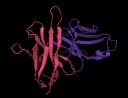
The six CDR loops sit within the antibody variable regions: HCDR1, HCDR2, and HCDR3 on the heavy chain, plus LCDR1, LCDR2, and LCDR3 on the light chain. DiffAb changes one loop or all detected loops while using the remaining antibody framework and, when present, the antigen as structural context.
Within the broader protein design landscape, that scope is narrower than “design an antibody from scratch.” The online tool starts from a bound antibody framework or an unbound antibody structure and preserves the number of residues in each selected CDR. It does not choose a new epitope, dock an antibody to an antigen, or generate variable-domain frameworks from an antigen alone.[2][3]
DiffAb supports five tasks:
- Single-CDR sequence–structure co-design
- Simultaneous co-design of all detected CDRs
- Native-start optimization of one CDR
- Fixed-backbone CDR sequence design
- Fixed-sequence CDR structure prediction
These tasks share one model family but answer different questions. Choosing the correct mode is more important than increasing the sample count.
How does DiffAb work?
DiffAb treats a CDR as a set of residues whose amino-acid identities and geometry can be noised and then reconstructed. The rest of the submitted structure supplies the conditions under which that reconstruction takes place.[2]
It models sequence, position, and orientation together
Each residue is represented by three coupled variables:
| Variable | What it describes | Why it matters |
|---|---|---|
| Amino-acid type | One of the 20 standard residues | Determines charge, polarity, size, and chemical interactions |
| Cα position | The residue's position in three-dimensional space | Defines the CDR backbone path |
| Local orientation | A rotation describing the residue frame | Helps place backbone and side-chain atoms consistently |
In co-design mode, DiffAb starts the selected CDR from noisy sequence and geometry and iteratively denoises all three variables. Amino-acid types use a discrete diffusion process, positions use Gaussian noise, and orientations use a diffusion process over three-dimensional rotations. The final all-atom loop is reconstructed from the generated residue positions and orientations.[2]
Fixed-backbone mode holds the backbone geometry constant and samples amino-acid identities. Structure-prediction mode does the reverse: it preserves the submitted sequence while sampling CDR geometry. These controls make the two modes useful as checks on what part of a result changed.
Equivariance keeps coordinate handling consistent
The denoising network is equivariant to rotations and translations in three-dimensional space. Rotating or moving the complete input does not change the underlying design problem; the generated geometry transforms with it.[2]
Equivariance is a coordinate-consistency property, not a quality score. It does not guarantee that every sampled loop is clash-free, stable, developable, or capable of binding.
The submitted complex defines the binding context
For a single-CDR run, the other detected CDRs, the antibody framework, and any antigen chains remain context while the selected loop is generated. Multi-CDR mode masks all detected CDRs together, so every detected loop can change in a coordinated sample while the framework and antigen remain fixed.[2]
This makes the starting pose consequential. If an antibody–antigen complex contains the wrong binding orientation, DiffAb designs into that incorrect interface. If the input contains no antigen, the model can still generate a loop compatible with the antibody framework, but the result is not conditioned on a specific antigen surface.
Optimization begins near the native CDR
Antibody-optimization mode differs from de novo co-design. It adds noise to the native CDR for a chosen number of steps, then denoises from that partially perturbed state. Fewer steps keep samples closer to the submitted loop; more steps allow larger sequence and structural changes.[2]
More optimization steps do not mean a better antibody. They change the distance from the starting design. The online default of four is a conservative starting point; compare different step counts only after the input and evaluation workflow are working.
Choose the right input structure
DiffAb's output inherits the biological assumptions and structural errors in its input. A clean chain mapping and a defensible complex pose matter more than an elaborate sampling campaign.
Include the antibody scaffold you want to keep
The webserver accepts one .pdb or .ent structure up to 50 MiB, uploaded directly or fetched from RCSB.[1] Suitable inputs include:
- A paired heavy- and light-chain variable region
- A heavy-chain-only nanobody or VHH structure
- An antibody–antigen or nanobody–antigen complex
Use a complex when the goal is antigen-aware redesign. Keep the antibody framework, the target CDR, and the antigen surface that forms the interface. Remove unrelated crystallographic copies or distant chains only after confirming which biological assembly and epitope you intend to model.
An antigen-only structure cannot run through this browser workflow. The official repository describes a separate HDOCK-based antigen-only pipeline, but ProteinIQ runs DiffAb's official antibody-structure workflow (design_pdb.py) for antibody structures and antibody–antigen complexes.[1][3]
Check whether the target CDR is structurally present
DiffAb redesigns residues that already exist in the selected CDR. It does not infer a missing loop length or insert and delete CDR residues. Use an input in which the full variable domain and target loop have residue records and usable coordinates.[2]
A PDB with a partly unresolved HCDR3 can fail detection or encode an incomplete design problem. PDB Fixer can repair missing atoms and residues, but a rebuilt loop is modeled rather than experimental evidence. Record any repair and inspect it before using the structure as a design condition.
Verify chain IDs and antibody numbering
By default, DiffAb uses AbNumber and ANARCI to identify antibody chains and apply Chothia numbering. Antibody numbering maps variable-length sequences onto equivalent structural positions so the model can find HCDR1 through LCDR3.[1][4]
Auto-detection is convenient when the structure contains one clear antibody. Supply chain IDs explicitly when:
- The PDB contains more than one antibody or nanobody
- The selected heavy and light chains are not the first antibody domains detected
- Auto-detection reports no matching CDR
- A nonstandard or engineered variable domain is classified incorrectly
Use the exact chain identifier from the PDB ATOM records. IDs are case-sensitive. For a nanobody, provide the heavy-chain ID and leave the light-chain field blank. Do not select an LCDR target when the input has no light chain.
If numbering is uncertain, ANARCII can classify and renumber antibody structures before design. Record the numbering scheme when comparing DiffAb output with an external mutation list because Chothia, IMGT, Kabat, and AHo boundaries are not identical.
How to use DiffAb online
1. Open the DiffAb webserver
Go to DiffAb online. The browser interface runs the pinned DiffAb source and model checkpoints on a hosted GPU, so no local Conda environment, CUDA toolkit, ANARCI installation, or model download is required.[1][3]
Give the job a name that captures the structure, chains, target loop, and mode, for example:
7DK2_AB_HCDR3_codesign_seed2022A descriptive name does not change the calculation, but it prevents different seeds and design modes from becoming indistinguishable in job history.
2. Upload or fetch the PDB
Drop one PDB or ENT file into the structure field, or enter an RCSB PDB ID. Before continuing, verify:
- The intended heavy, light, and antigen chains are present.
- The target CDR has coordinates and a complete sequence.
- The antibody is bound to the intended antigen copy when antigen conditioning matters.
- Chain IDs in the file match the IDs you plan to enter.
Do not assume that every chain in an RCSB asymmetric unit belongs to one biological complex. Check the deposited biological assembly and the experimental paper when the chain pairing is ambiguous.
3. Set the heavy- and light-chain IDs
Leave both fields blank for a simple paired antibody that auto-detection identifies correctly. For explicit mapping, enter the heavy-chain ID and, when present, the light-chain ID.
| Input | Heavy-chain field | Light-chain field |
|---|---|---|
| Paired antibody | Heavy-chain ID | Light-chain ID |
| Paired antibody with auto-detection | Blank | Blank |
| Nanobody or VHH | Nanobody chain ID | Blank |
| Structure with several antibodies | Explicit intended chain | Explicit partner chain |
The webserver checks explicit IDs against the uploaded structure before submission. A chain name that is missing from the PDB is rejected instead of being silently reassigned.[1]
4. Choose the design mode
Use the mode that matches the variable you are willing to change:
| Design mode | Sequence changes? | CDR structure changes? | Best use |
|---|---|---|---|
| Co-design single CDR | Yes | Yes | Explore one loop while preserving the other CDRs as context |
| Co-design all detected CDRs | Yes, across all detected CDRs | Yes, across all detected CDRs | Explore coordinated changes across a complete paratope |
| Optimize one CDR | Yes, near the native loop | Yes, near the native loop | Generate native-start variants of an existing binder |
| Fixed backbone | Yes | Backbone held fixed | Design sequence variants for a trusted CDR conformation |
| Structure prediction | Sequence held fixed | Yes | Sample conformations for an existing CDR sequence |
Single-CDR co-design is the clearest first run because the source of each change is easy to inspect. Multi-CDR mode creates a much larger effective design space even though the number of returned samples stays the same.
5. Select the target CDR
For every mode except multi-CDR co-design, choose one of:
HCDR1HCDR2HCDR3LCDR1LCDR2LCDR3
HCDR3 is the default. It is often central to antigen recognition and is usually the most diverse and difficult antibody loop to model. The original DiffAb benchmarks likewise found HCDR3 more difficult than the other five CDRs, especially for longer loops.[2]
The target selector is ignored in multi-CDR mode. That mode redesigns every heavy- and light-chain CDR detected in the submitted antibody.[1]
6. Set optimization steps when needed
The Optimization steps field appears only in Optimize one CDR mode. Available values are 1, 2, 4, 8, 16, 32, and 64, with 4 as the online default.[1]
Start at four. If the samples are almost identical to the native loop, compare with eight using the same input and seed. If the designs depart too far from the known binding geometry, compare with one or two. Change one setting at a time so the effect remains interpretable.
7. Choose sample count and seed
The online tool generates 1 to 10 samples, with 5 by default. Five samples are enough to verify the workflow and reveal obvious variation, but they do not characterize the full design distribution. The original research configurations generated 100 candidates per case, so a five-sample browser run is a pilot rather than an exhaustive search.[1][3]
The default random seed is 2022, matching the source inference configurations. Keep it fixed when reproducing a run or changing one design parameter. Enable Use a random seed when you deliberately want a new sampling stream; save the returned configuration so the run can be traced later.[1]
8. Submit and open the results
Review the structure, chain IDs, mode, target loop, sample count, and seed, then submit the job. A completed run has three views:
- Viewer: Generated and reference PDB structures
- CDR sequences: One row per generated PDB with HCDR1–3 and LCDR1–3 columns
- Files: Generated structures, references, archive, metadata, exact configuration, and log
Download the files before downstream analysis. The browser viewer is useful for a first inspection, while the saved PDBs and provenance files are what make a comparison reproducible.
How to interpret DiffAb results
DiffAb returns a set of structural proposals. Read the filenames, sequence table, and reference files together; none is a standalone quality verdict.
Separate generated designs from reference structures
Generated files use four-digit names inside a variant folder:
H_CDR3/0000.pdb
H_CDR3/0001.pdb
H_CDR3/0002.pdbAn optimization folder also identifies the step count, while multi-CDR output is grouped under its native multi-CDR variant. Reference structures use names such as:
reference.pdb
H_CDR3/REF1.pdbOnly the numbered files are generated designs. reference.pdb and REF1.pdb preserve the native structures used by the DiffAb run and should not be counted as extra candidates.[1]
Read the CDR sequence table as a change audit
The CDR sequences table has these columns:
| Column | Meaning |
|---|---|
| Design | Native variant folder and PDB filename |
| HCDR1–HCDR3 | Heavy-chain CDR sequences extracted from that generated PDB |
| LCDR1–LCDR3 | Light-chain CDR sequences extracted from that generated PDB |
For single-CDR co-design, fixed-backbone design, or optimization, first confirm that the intended CDR changed and the other CDR sequences stayed constant. For structure prediction, the target sequence should remain unchanged because only geometry was sampled. In multi-CDR mode, inspect all detected CDR columns because several loops can change in the same candidate.
The table is exported as cdr_sequences.csv. Blank cells usually mean that the corresponding chain or CDR was not present or could not be numbered, not that the loop has zero residues.
Use provenance files to reproduce the run
The Files view includes:
| File | What it contains |
|---|---|
generated.tar.gz | Generated numbered PDBs only |
cdr_sequences.csv | CDR sequence table shown in the Data view |
metadata.json | Native DiffAb run metadata and detected variants |
diffab_config.yaml | Exact mode, checkpoint, CDR list, sample count, seed, and optimization setting |
log.txt | Native DiffAb execution log |
Keep diffab_config.yaml with every shortlisted candidate. A PDB without its chain mapping, mode, seed, and source structure is difficult to reproduce or audit.
Sample numbers are not ranks
0000.pdb means the first generated sample. It does not mean rank 1. DiffAb online does not return:
- A confidence score
- Predicted binding affinity or dissociation constant
- Rosetta energy or another physics-based energy
- A model likelihood for ranking samples
- A developability or immunogenicity score
The original repository provides optional PyRosetta relaxation and energy-evaluation paths, but they are separate from the native browser inference run. The online output preserves raw generated structures rather than inventing a rank from file order.[1][3]
How should you select DiffAb candidates?
Use a staged filter. Each stage removes a different kind of failure, and no single score replaces the full sequence.
1. Confirm that the design task was applied correctly
Check the CDR sequence table and overlay each generated structure with the reference. Verify that the selected loop changed as intended, the framework stayed intact, and multi-CDR mode did not alter a loop you meant to preserve.
For fixed-backbone mode, backbone coordinates should match the submitted loop. For structure-prediction mode, sequence identity should be exact. A mismatch here is a setup or interpretation problem, so stop before calculating downstream scores.
2. Reject obvious geometric failures
Inspect the CDR backbone, peptide continuity, side-chain packing, disulfides, and the antibody–antigen interface. Reject designs with severe clashes, broken geometry, buried unsatisfied polar groups, or loops that pass through the antigen or framework.
MolProbity can check all-atom contacts, Ramachandran outliers, rotamers, and covalent geometry.[5] DiffAb's equivariant architecture does not make this validation redundant.
3. Compare the design with the reference at the right level
Use the RMSD calculator to measure how far a candidate moved from the submitted structure. Calculate both a framework-aligned CDR RMSD and, when useful, an all-antibody RMSD. A small global RMSD can hide a large CDR change because the framework contains many more atoms.
When an experimental complex is available, DockQ can compare interface geometry with that reference. These are similarity checks, not proof that a novel sequence binds better. A design can depart from the native loop for a valid reason, while a near-native structure can still have poor affinity.
4. Inspect interface changes rather than only loop shape
For antigen-aware runs, record which CDR residues contact the antigen, which native contacts were lost, and which new contacts were introduced. Look for shape complementarity, plausible hydrogen-bond geometry, hydrophobic burial, salt bridges, and steric conflicts.
If you apply a protein–protein affinity predictor such as PPAP, treat its output as an independent model score. Keep the input preparation identical across candidates and do not report the predicted value as an experimental affinity.
5. Screen sequence liabilities and diversity
DiffAb optimizes neither manufacturability nor clinical suitability. Check candidates for unwanted glycosylation motifs, chemical degradation hotspots, exposed hydrophobic or charged patches, unusual CDR lengths, low humanness, and self-association risk. Computational developability guidelines are useful early filters, but they do not guarantee expression or formulation behavior.[6]
BioPhi can evaluate antibody humanness and propose humanizing changes. Apply humanization carefully: changing a designed CDR or framework can alter the structure and binding hypothesis that DiffAb produced.
Do not select five nearly identical sequences simply because they survived. A useful experimental panel preserves several distinct sequence or geometry families while excluding candidates with clear liabilities.
6. Test binding and function experimentally
The DiffAb paper evaluated designs with amino-acid recovery, loop RMSD, and computational energy metrics. It did not establish a prospective experimental hit rate for the online samples.[2] Final selection therefore requires expression and binding measurements such as SPR, BLI, or ELISA, followed by specificity, stability, aggregation, and functional assays appropriate to the program.
Common DiffAb problems
“No requested CDR variants”
The selected CDR was not found in the detected antibody chains. Confirm the target loop exists, choose an HCDR for a heavy-chain-only nanobody, check whether the loop has complete coordinates, and enter the intended chain IDs explicitly.
The heavy or light chain is rejected
The entered chain ID does not occur in the uploaded PDB. Read the chain character from the ATOM records, preserve capitalization, and make sure you did not copy an author-assigned chain label that differs from the deposited PDB ID.
Auto-detection chooses the wrong antibody
Structures can contain several Fabs or symmetry-related copies. Specify the heavy and light chains that form the intended Fv and confirm they contact the antigen chain you want to retain.
An antigen-only PDB does not run
The online tool requires an antibody structure. Use an existing antibody or nanobody framework in a complex with the antigen. The source repository's antigen-only HDOCK workflow is a different execution path and is not available in this form.[1][3]
Multi-CDR mode ignores the target selector
This is expected. Multi-CDR mode redesigns all CDRs detected in the selected antibody chains. Return to single-CDR co-design when only one loop should change.
The results have no score column
This is also expected. DiffAb's native PDB samples are unranked. Build a separate, documented filtering workflow rather than interpreting filenames as scores.
Five samples look too similar
Check that sequence sampling is enabled by the selected mode and compare the CDR sequence table rather than only the full structures. To explore further, repeat with a different recorded seed. In optimization mode, a larger step count increases departure from the native loop, but it also increases the risk of losing a useful binding geometry.
What are the limitations of DiffAb?
DiffAb is best treated as a CDR hypothesis generator around a known antibody scaffold and binding context. Its main limitations are:
- Starting structure required: The browser workflow cannot design a complete antibody from an antigen alone.
- Fixed CDR length: It redesigns existing residue positions and does not sample insertions, deletions, or new loop lengths.
- No docking or epitope search: The antibody–antigen pose and epitope come from the submitted complex.
- Rigid context: Framework, antigen, and non-selected regions are fixed while the chosen CDR variables are sampled.
- No native ranking: Generated samples have no confidence, energy, affinity, or likelihood rank.
- No online relaxation: Native generated PDBs require separate geometry checks and, when justified, controlled relaxation.
- Training-distribution limits: DiffAb learned from antibody structures in SAbDab; unusual formats, very long CDRs, non-protein antigens, and underrepresented binding modes fall farther from its evidence base.[2][7]
- No developability objective: Stability, solubility, expression, aggregation, polyspecificity, immunogenicity, and manufacturability remain separate selection problems.
- Computational validation only in the original study: Reported structural and energy metrics do not establish experimental binding or therapeutic performance.[2]
These limits do not make the samples unusable. They define what evidence must be added before a design can support a decision.
DiffAb alternatives
The closest alternative depends on whether you want sequence design, backbone movement, or a new binding geometry.
| Tool | Starting input | What changes | Choose it when |
|---|---|---|---|
| DiffAb | Antibody or antibody–antigen PDB | One or all CDR sequences and/or structures | You want antigen-conditioned loop co-design or native-start optimization |
| AntiFold | Antibody structure, optional antigen context | Antibody sequence on a fixed backbone | You want antibody-specific inverse folding, region controls, and native sequence-likelihood outputs |
| IgDesign | Antibody–antigen PDB with heavy, light, and antigen chains | Selected CDR sequences on a fixed backbone | You want antigen-aware inverse folding with source-native cross-entropy outputs |
| RFantibody | Target antigen plus an RFantibody HLT framework | New CDR-mediated binding geometry and compatible sequences | You want epitope-guided de novo antibody or nanobody design rather than redesigning a bound complex |
DiffAb is the flexible-backbone choice in this group. AntiFold and IgDesign isolate sequence design on a supplied backbone, which makes structural comparisons simpler. RFantibody changes the antibody–target arrangement more fundamentally and has stricter framework preparation requirements.
For an important design campaign, agreement among structurally different methods is more informative than many samples from one seed. Compare methods on a known complex or held-out mutation series before applying them to candidates with no experimental reference.
Antibody design tools on ProteinIQ
Structure preparation and numbering:
- PDB Fixer — Repair selected missing atoms or residues and preserve a record of structural preparation.
- ANARCII — Classify and renumber antibody variable domains when chain or CDR annotation is uncertain.
CDR design:
- DiffAb — Generate single- or multi-CDR sequence and structure variants from an antibody structure or complex.
- AntiFold — Sample antibody sequences for a fixed variable-domain backbone.
- IgDesign — Design selected CDR sequences in an antibody–antigen structural context.
- RFantibody — Generate epitope-guided antibody or nanobody binding designs from a prepared framework.
Candidate checks:
- MolProbity — Detect clashes, rotamer outliers, Ramachandran outliers, and covalent-geometry problems.
- RMSD calculator — Quantify CDR or full-structure movement relative to a reference.
- DockQ — Compare a designed protein–protein interface with an experimental or trusted reference complex.
- BioPhi — Assess antibody humanness and support a separate humanization step.
These tools cover different failure modes. A geometry pass does not establish binding, and a humanness pass does not establish structural compatibility.
Frequently asked questions
Can I use DiffAb without coding?
Yes. The DiffAb webserver accepts a PDB upload or RCSB ID and provides chain mapping, all five design modes, CDR selection, optimization steps, sample count, and seed in the browser. It returns viewable and downloadable results without a local Python or GPU setup.
Does DiffAb need an antibody–antigen complex?
An antibody structure is required; an antigen is optional. Use a bound antibody–antigen complex when the design must respond to a specific epitope. An antibody-only input can generate CDRs compatible with the framework, but it provides no antigen surface for target-specific conditioning. An antigen-only input cannot run through the ProteinIQ DiffAb form; the official repository's HDOCK-based antigen-only workflow is a separate path.[1][3]
Which DiffAb mode should I use first?
Start with single-CDR co-design if you want both a new sequence and a flexible loop. Use fixed-backbone mode when the loop conformation is trusted and only sequence should change. Use optimization mode for conservative changes around an existing binder, and use multi-CDR co-design only when coordinated changes across the full paratope are intentional.
Does DiffAb predict binding affinity?
No. It generates sequences and PDB structures but returns no Kd, ΔG, confidence, or affinity rank. Binding-energy calculations and protein–protein affinity predictors can prioritize follow-up, but experimental binding measurements remain necessary.
Can DiffAb design nanobody CDRs?
Yes. Submit a heavy-chain-only nanobody or VHH structure, enter its chain ID or leave detection automatic, keep the light-chain field blank, and select HCDR1, HCDR2, or HCDR3. Light-chain CDR targets are unavailable because the input has no light chain.[1]
How many DiffAb samples should I generate?
Use five samples for a first run. Once the chain mapping, target CDR, and evaluation steps are correct, use all 10 online samples or repeat with recorded seeds to increase diversity. More samples improve coverage of the model's proposals; they do not fix a wrong starting complex or create a quality score.
A practical first-run recipe
For a first antigen-aware CDR redesign:
- Choose a structurally complete antibody–antigen PDB with a defensible binding pose.
- Keep only the intended antibody copy and relevant antigen chains.
- Confirm the target CDR is present and inspect any repaired residues.
- Enter explicit heavy- and light-chain IDs when the PDB contains more than one antibody.
- Select Co-design single CDR and HCDR3.
- Generate five samples with seed
2022. - Confirm the HCDR3 sequence changed while the other CDR sequences stayed fixed.
- Compare all five generated PDBs with
reference.pdb; do not treat0000.pdbas the winner. - Reject clashes and geometry outliers, then compare CDR movement and interface contacts.
- Screen sequence liabilities and choose a diverse experimental panel.
- Repeat with another recorded seed only after the first batch passes the workflow checks.
- Measure expression, specificity, affinity, stability, and function experimentally.
Run the pilot with DiffAb online, preserve the exact configuration with each candidate, and add computational or experimental complexity only when it answers a defined selection question.
Sources▼
- Use DiffAb Online ProteinIQ · August 23, 2026. https://proteiniq.io/app/diffab
- Antigen-Specific Antibody Design and Optimization with Diffusion-Based Generative Models for Protein Structures Advances in Neural Information Processing Systems · 2022. https://proceedings.neurips.cc/paper_files/paper/2022/hash/3fa7d76a0dc1179f1e98d1bc62403756-Abstract-Conference.html
- DiffAb official repository GitHub (luost26/diffab) · August 23, 2026. https://github.com/luost26/diffab
- ANARCI: antigen receptor numbering and receptor classification Bioinformatics · 2016. https://doi.org/10.1093/bioinformatics/btv552
- MolProbity: all-atom structure validation for macromolecular crystallography Acta Crystallographica Section D · 2010. https://doi.org/10.1107/S0907444909042073
- Five computational developability guidelines for therapeutic antibody profiling Proceedings of the National Academy of Sciences · 2019. https://doi.org/10.1073/pnas.1810576116
- SAbDab: the structural antibody database Nucleic Acids Research · 2014. https://doi.org/10.1093/nar/gkt1043

Founder and computational chemist, ProteinIQ
Dr. Matic Broz is the founder of ProteinIQ and a computational chemist. He completed a PhD focused on protein structure, molecular dynamics, and neural networks, and writes about structural biology and scientific software.