Extract canonical SMILES strings from SDF ligand files, one record at a time or in batch. Learn more
Input
What is SDF to SMILES?
SDF to SMILES is a small-molecule format converter that turns Structure Data File records into canonical SMILES strings. SDF, also called SD file format, stores a molecular graph, optional three-dimensional coordinates, and named data fields. SMILES captures the molecular graph as a compact line of text, making it better suited to compound tables, database registration, descriptor calculation, and many ligand-screening tools.
The conversion uses RDKit to read and sanitize each SDF record, then write a canonical SMILES representation. A canonical SMILES gives the same RDKit representation for the same interpreted molecular graph, which is useful for comparing records and reducing format-driven differences in a compound collection. It is not a universal identifier: canonicalization rules differ between chemistry toolkits, and distinct salt forms, tautomers, protonation states, and stereochemical definitions remain scientifically distinct inputs.
SDF is the right exchange format when coordinates or record-level properties matter. SMILES is the right handoff format when a downstream task needs connectivity. For example, an SDF result from docking can be converted before calculating molecular descriptors or screening a library with the PAINS filter.
How to use SDF to SMILES online
ProteinIQ converts uploaded .sdf or .sd ligand files into one canonical SMILES string per SDF record. Upload a single structure or a multi-record SD file, then download individual .smi files, a named batch table when multiple records convert successfully, and a curated Run log that records success or failure counts for the input records.
Input
| Input | Accepted content | Limit |
|---|---|---|
Ligand | .sdf or .sd molecular structure file, including files containing multiple records separated by $$$$ | Up to 10 files, 50 MB per file |
Each SDF record is processed independently. In a multi-record file, the record order is preserved in the result data through record_index. A record title is used as its name when available; otherwise ProteinIQ assigns a name based on the submitted file and record position.
No conversion settings are required. The submitted SDF is the source of chemical identity, including its formal charges, isotope labels, and any stereochemical information that RDKit can parse and validate.
Results and downloads
The result table contains one row per SDF record, including its input name, source format, record index, conversion status, SMILES value, generated filename, and an error message when conversion fails.
| Download | Contents | When available |
|---|---|---|
<record-name>.smi | One canonical SMILES string followed by a newline | For every successfully converted record |
batch.smi.tsv | Tab-separated name and smiles columns | When more than one record converts successfully |
run.log | Curated run record with the input format, conversion phases, successful and failed entry counts, and stable failure guidance | For every job |
batch.smi.tsv is convenient for importing a named collection into a spreadsheet or workflow. The individual .smi files are better when each molecule must be passed on separately. The converted SMILES output can also be used as a ligand-SMILES artifact in ProteinIQ workflows.
How the conversion works
An SDF can include coordinates, atom and bond blocks, and arbitrary property fields. RDKit reads the molecular record and performs sanitization before export. Sanitization checks whether the valence, aromaticity, and related molecular representation can be interpreted consistently. ProteinIQ then removes explicit hydrogen atoms from the exported molecular representation and calls RDKit's canonical SMILES writer.
The resulting text describes connectivity, bond orders, aromaticity, formal charge, isotope labels, and specified stereochemistry when they are represented in the parsed molecule. It does not retain SDF coordinates or arbitrary SDF data fields such as assay values, vendor identifiers, docking scores, or tags. Keep the original SDF if those fields are needed later.
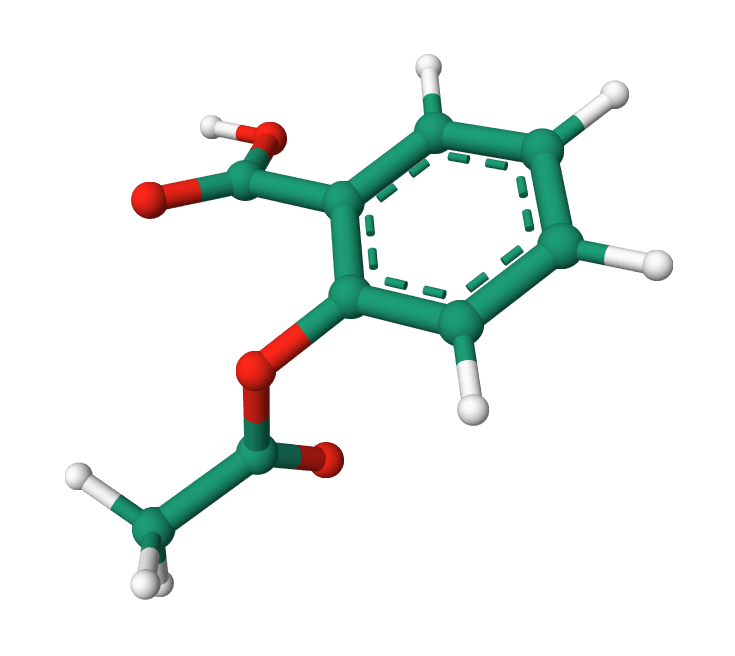
For example, an aspirin structure can be represented as CC(=O)Oc1ccccc1C(=O)O. The same compound may have several valid non-canonical SMILES strings, depending on where writing begins around the molecular graph. Canonical output makes a single RDKit-generated spelling, but it does not standardize the chemistry itself.
Reading failures and choosing the right next step
An unsuccessful record does not prevent the rest of a batch from being converted. The Run log records the failed-entry count. Common causes include a truncated mol block, inconsistent atom or bond counts, unsupported valence, or malformed stereochemical annotations.
SDF to SMILES does not neutralize salts, choose a dominant tautomer, add missing stereochemistry, repair a ligand, or infer the protonation state appropriate to an assay or binding site. Those choices change the chemical structure rather than its format. Use Ligand Fixer when an SDF needs structural preflight and repair, then review the resulting structure before using the SMILES in property or model-based analysis.
To create a coordinate-bearing file from a SMILES input, use SMILES to SDF. That reverse conversion generates a three-dimensional conformer; it cannot recover the original coordinates or SDF property fields from SMILES alone.
Related tools
SMILES to SDF
Convert single SMILES strings or small batches into 3D SDF files with downloadable per-entry files and a combined batch output.
InChI to SMILES
Convert InChI strings into SMILES with batch support and downloadable outputs.
MOL to SMILES
Convert MDL MOL ligand files into canonical SMILES strings for registration, filtering, and downstream analysis.
MOL2 to SMILES
Convert MOL2 ligand files into SMILES strings for registration, filtering, and downstream analysis.
SMILES to InChI
Convert SMILES strings into InChI strings with batch support and downloadable outputs.
SMILES to MOL2
Convert SMILES strings into 3D MOL2 files for docking and molecular modeling workflows.
SMILES to PDB
Convert SMILES strings into 3D PDB files for molecular visualization and downstream docking preparation.

Open Babel
Run Open Babel in the browser to convert chemical and structure files, with coordinate, hydrogen, and pH options where the WASM runtime supports them.
PDB to SDF Converter
Convert Protein Data Bank files to Structure Data Format
SDF to PDB Converter
Convert Structure Data Format files to Protein Data Bank format